
Short answer: Binance withdrawal fees can change because the selected asset, blockchain network, network conditions and platform settings are not constant. The live withdrawal confirmation screen—not an old article or screenshot—is the final source for the fee and minimum available to your account.
Last verified: August 16, 2026. This guide intentionally avoids a static coin-by-coin fee table because those values can become outdated and because availability differs by region and account.
Withdrawal fees at a glance
| Item | What it means |
|---|---|
| Trading fee | A cost associated with executing a trade. It is separate from an external withdrawal. |
| Withdrawal fee | The amount displayed by Binance for sending an asset through the selected method or network. |
| Network fee | A blockchain-related cost associated with processing an on-chain transaction. |
| Minimum withdrawal | The smallest amount currently permitted for that asset and network. |
| Net received estimate | The withdrawal amount minus the displayed fee, subject to what the confirmation screen shows. |
Why the fee changes by network
A cryptocurrency may be available on more than one blockchain. For example, a token may have versions that move over Ethereum, BNB Smart Chain or another supported network. Those networks do not have the same validator economics, demand, transaction format or operating conditions, so the displayed withdrawal fee can differ.
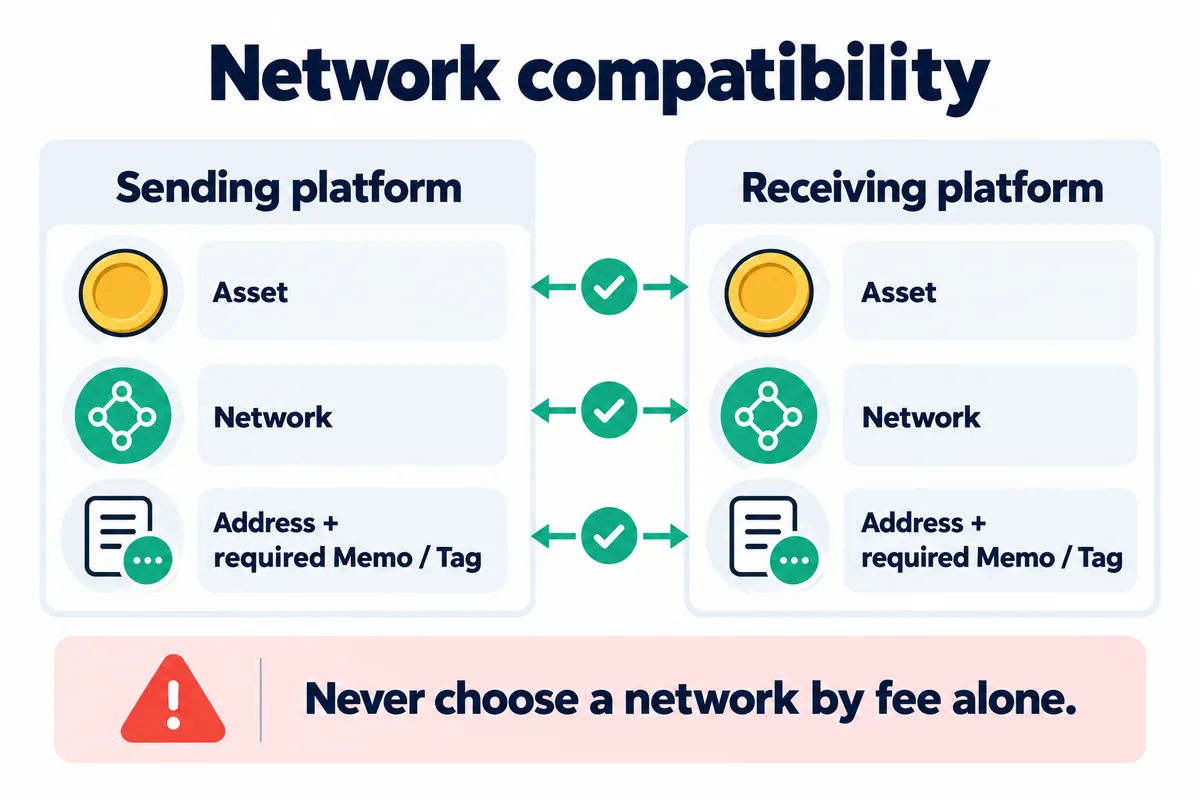
The cheapest displayed network is not automatically the correct choice. The receiving wallet or exchange must support the same asset on the same network. Sending to an incompatible destination can result in delayed access or permanent loss, and recovery is not guaranteed.
What can affect a Binance withdrawal fee?
- Asset: each cryptocurrency can use a different withdrawal configuration.
- Selected network: one asset may be supported on several chains with different costs and minimums.
- Network conditions: blockchain congestion and demand can change the cost of processing transactions.
- Wallet maintenance: a network may be temporarily suspended or have limited availability.
- Platform adjustments: Binance can update fees and minimums as operating and network conditions change.
- Withdrawal method: an internal transfer, fiat withdrawal and external on-chain withdrawal are not the same process.
How to check the live fee and minimum
- Sign in directly at Binance and open the withdrawal screen.
- Select the exact asset you intend to send.
- Enter or select the receiving address.
- Select only a network that the receiving destination explicitly supports.
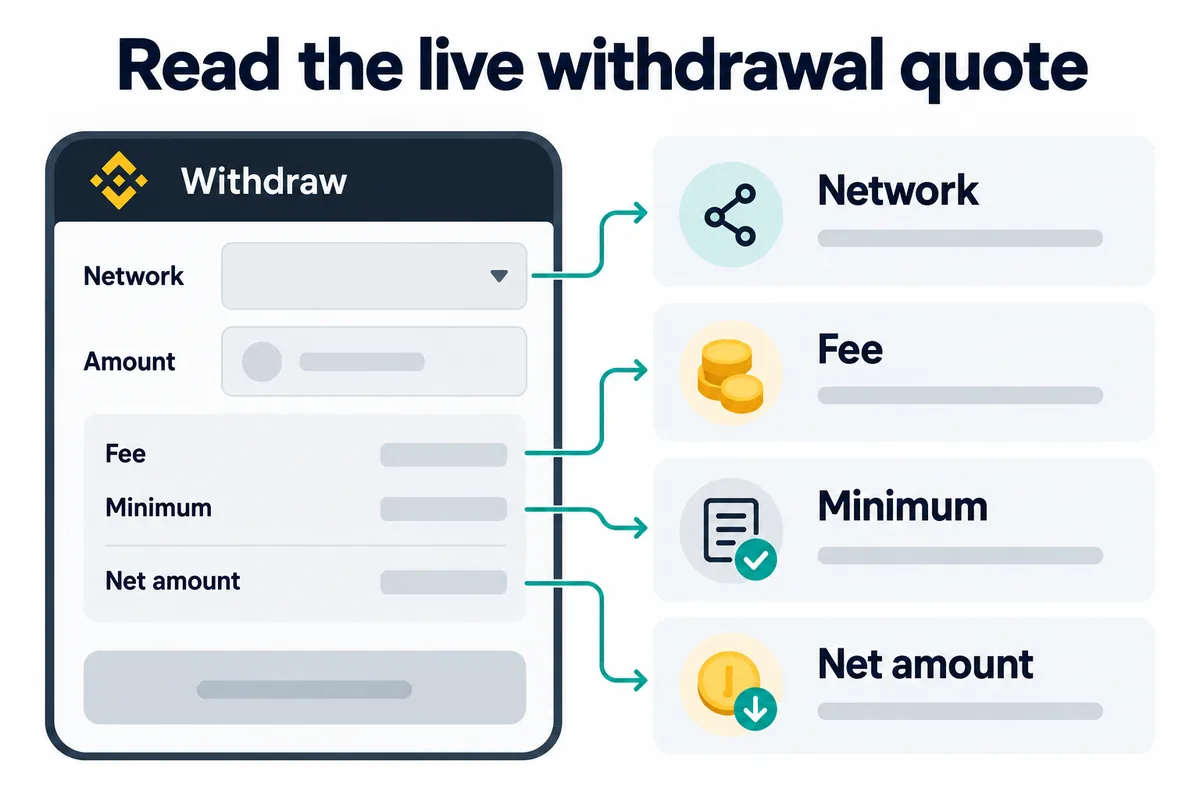
- Enter the amount and review the displayed withdrawal fee, minimum and estimated amount to be received.
- Check whether a memo, tag, payment ID or other destination identifier is required.
- Review every detail again before completing the security confirmation.
The public Binance crypto fee page can help with initial research. The final withdrawal screen is more important because it reflects the selected asset, network and account context at confirmation time.
A simple net-received estimate
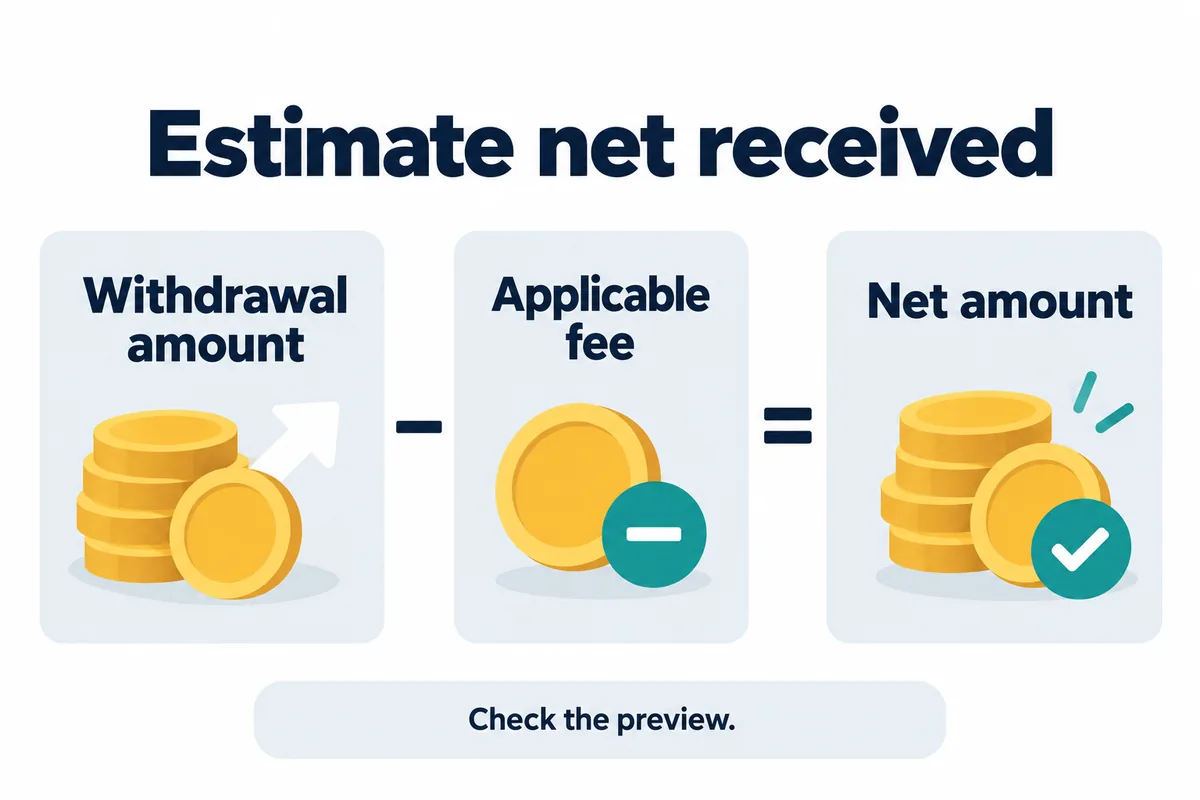
For an asset-denominated fee, the basic educational estimate is:
Estimated net amount = withdrawal amount − displayed withdrawal fee
If the withdrawal amount is 1.000 units and the confirmation screen displays a fee of 0.005 units, the simple estimate is 0.995 units. This example is not a current fee quote for any asset or network. The screen may display the fee or received amount differently depending on the withdrawal method.
How amount and withdrawal count change cost
Bimence fictional example: the fee F = 2 units of the same asset on each withdrawal, and A is the total account debit including that fee. Assume sufficient balance, supported network and valid minimum amounts. These are not current network quotations.
| Total debit A | Received A − F | Fee share F ÷ A |
|---|---|---|
| 100 | 98 | 2% |
| 1000 | 998 | 0.2% |
| 10000 | 9998 | 0.02% |
Received = A − F; fee share (%) = F ÷ A × 100. If the screen instead specifies the amount to receive R, total debit is R + F and the fee share uses R + F as its denominator. Do not treat a fixed asset fee as a fixed percentage.
With a total budget of 100 units, one withdrawal leaves 98; two withdrawals leave 96 in total only if each costs 2. A test transfer therefore adds cost, but this is not advice to skip testing or combine transfers. Each transfer must meet its own minimum and network/address requirements; later fees may change.
Model and withdrawal-fee source reviewed: 2026-11-01 · Binance
Do not choose a network by fee alone
Network compatibility comes before price. Confirm the following with the receiving platform or wallet:
- the asset name and contract or token standard;
- the exact supported blockchain network;
- the destination address format;
- whether a memo or tag is mandatory;
- the receiving platform’s minimum deposit;
- whether deposits are currently active.
When appropriate, a small test transfer can reduce the size of a mistake, but it creates an additional fee and does not make an incompatible route safe. Read the complete Binance deposit and withdrawal guide before moving funds.
Why a withdrawal may be temporarily unavailable
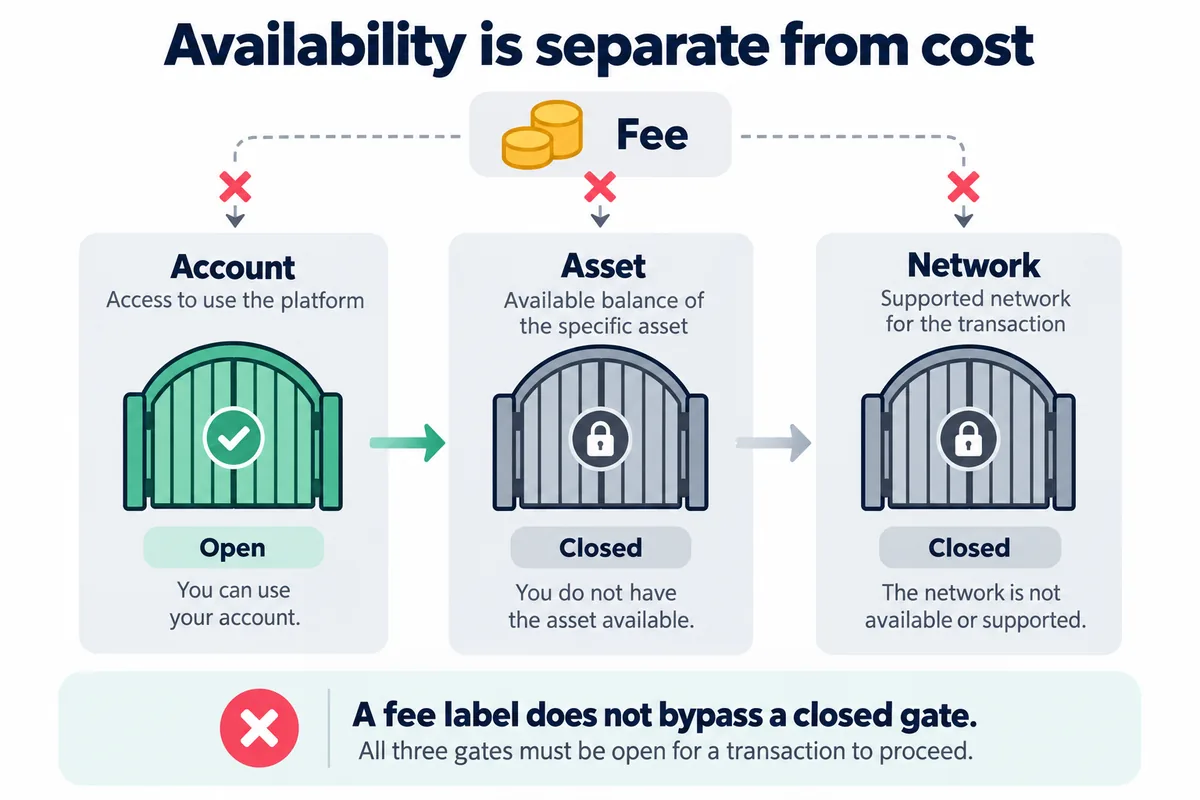
A network can be paused for maintenance, upgrades, congestion, wallet work, security review or another operational reason. Availability can also depend on region, account verification and product restrictions. Do not attempt to bypass a restriction by choosing a network that the destination does not support.
For account-specific availability, use authenticated Binance Support. Bimence cannot view an account, trace private account records, reverse a blockchain transaction or recover funds.
For temporary withdrawal restrictions, see withdrawal suspension: causes and checks.
Security checklist before confirming
- Open Binance through a trusted bookmark or typed address.
- Compare the entire destination address, character by character, with the address obtained from a trusted receiving source. Do not rely only on the first and last characters or copy an address from recent transaction history.
- Confirm the network on both the sending and receiving sides.
- Verify any memo or tag.
- Read the final fee, minimum and net-received information.
- Do not share passwords, one-time codes, passkeys, seed phrases or private keys with anyone.
- Ignore unsolicited “recovery agents” requesting funds or remote access.
Address-check review, October 23, 2026: Look-alike addresses can share the same beginning and ending. Binance explains why a full-address comparison helps prevent address poisoning. This review covers the address-check instruction, not a new review of every fee or account condition.
Review the Binance account security checklist and our Crypto Risk Disclosure for broader precautions.
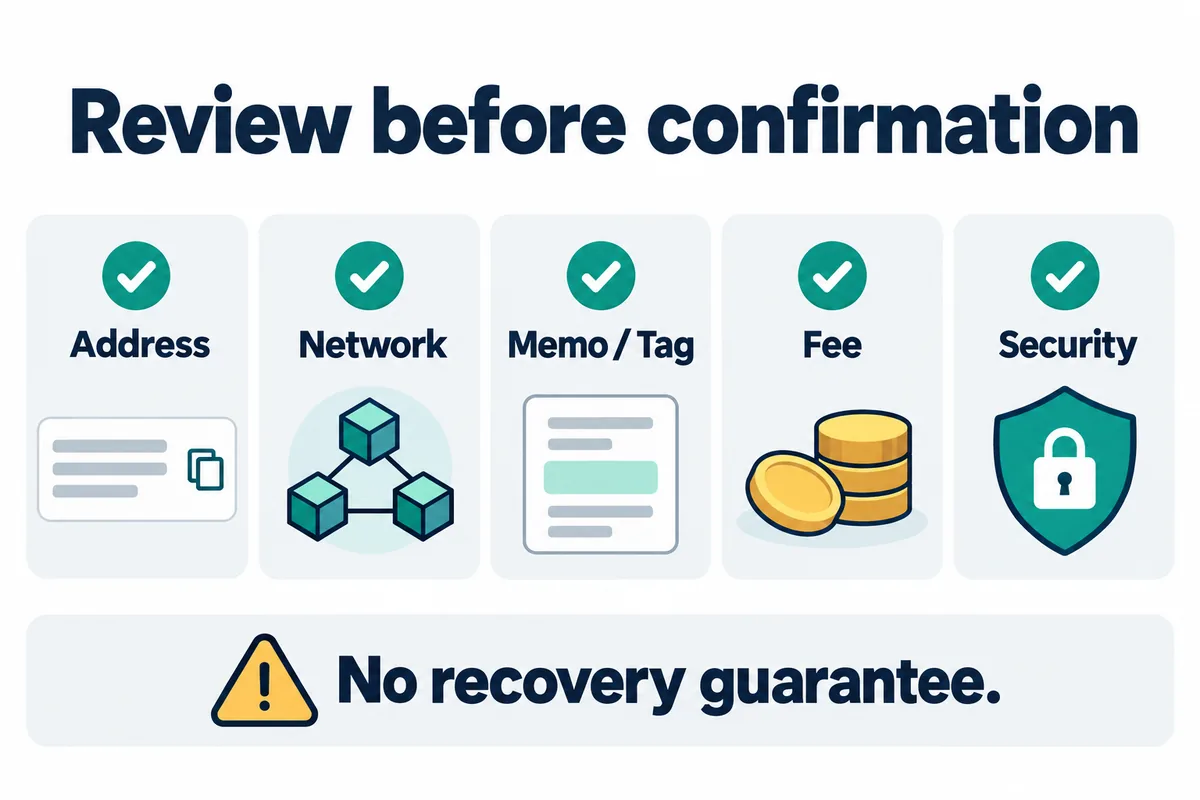
Bimence explanatory diagrams, not official account screens. Product and account conditions apply.
Frequently asked questions
Does Binance have one fixed withdrawal fee?
No. The displayed fee can depend on the asset, selected network and current conditions. Check the live withdrawal screen before every transfer.
Does VIP level reduce withdrawal fees?
Do not assume that a trading-fee VIP rate changes an external withdrawal fee. Trading and withdrawal charges are separate. The withdrawal confirmation screen controls the charge for the selected route.
Does referral code BIMENCE reduce every withdrawal fee?
No. A referral arrangement does not mean every Binance charge is discounted. Any eligible referral benefit is subject to Binance’s current terms and should not be treated as a withdrawal-fee guarantee.
What should I do if I selected the wrong network?
Record the asset, amount, network, destination address, transaction ID and receiving platform. Contact the authenticated support channel of the receiving service. Do not share a seed phrase or private key. Recovery depends on the destination and network and is not guaranteed.
Official sources
- Binance Crypto Deposit and Withdrawal Fee Schedule
- Binance Academy: Your Guide to Binance Deposit/Withdrawal
- Binance Academy: What Are Blockchain Transaction Fees?
Related security guide: Before sending crypto, review how the Binance withdrawal whitelist, address book, limits, and security waiting periods work.