
Short answer: Secure a Binance API key by enabling only the permissions the integration actually needs, restricting the key to trusted IP addresses when the deployment supports a stable outbound IP, and keeping every secret or private key out of source code, version control and shared messages. A correctly configured read-only key cannot place orders or withdraw, but it can still expose sensitive account and transaction data. If exposure is suspected, revoke or delete the key immediately, review account activity, fix the exposure path and only then create a replacement.
Last reviewed: August 31, 2026. Binance can change API permissions, key types, account requirements, interface labels and regional availability. The live API Management screen in the relevant Binance account and the documentation for the exact product or endpoint are authoritative.
Binance API key security: key takeaways
- Use one key for one purpose: separate a portfolio tracker, tax tool, trading bot and internal service instead of sharing one powerful key.
- Enable only the minimum permissions: for a read-only tool, leave trading, transfer and withdrawal permissions disabled; add a permission only when the integration actually requires it.
- Avoid withdrawal permission: most analytics tools and trading bots do not need it. The currently available Binance Support FAQ states that adding IP access restrictions is mandatory to enable withdrawal permission. Check the live API Management screen for the account and region.
- Restrict trusted IPs: use an allowlist when requests leave through stable, known public IP addresses. Keep the list current when infrastructure changes.
- Keep secrets out of code: do not hard-code an HMAC secret or private-key material, commit it to a repository, paste it into support chat or send it to Bimence.
- Revoke first after suspected exposure: do not wait to finish an investigation while a potentially compromised key remains active.
This guide is about the security lifecycle of a Binance API key, not how to build a bot or sign a request. For password, passkey, 2FA, anti-phishing and device controls, use the broader Binance account security checklist.
What an API key, secret and private key do
An API credential helps Binance identify a calling application and decide which protected actions it may request. Authentication answers “which credential is making this request?” Authorization answers “what is this credential allowed to do?” A valid signature does not grant a permission that is disabled in API Management.
| Credential or control | Purpose | Security treatment |
|---|---|---|
| API key | Identifies the API credential in protected requests | Treat as sensitive even when it is paired with a read-only permission set |
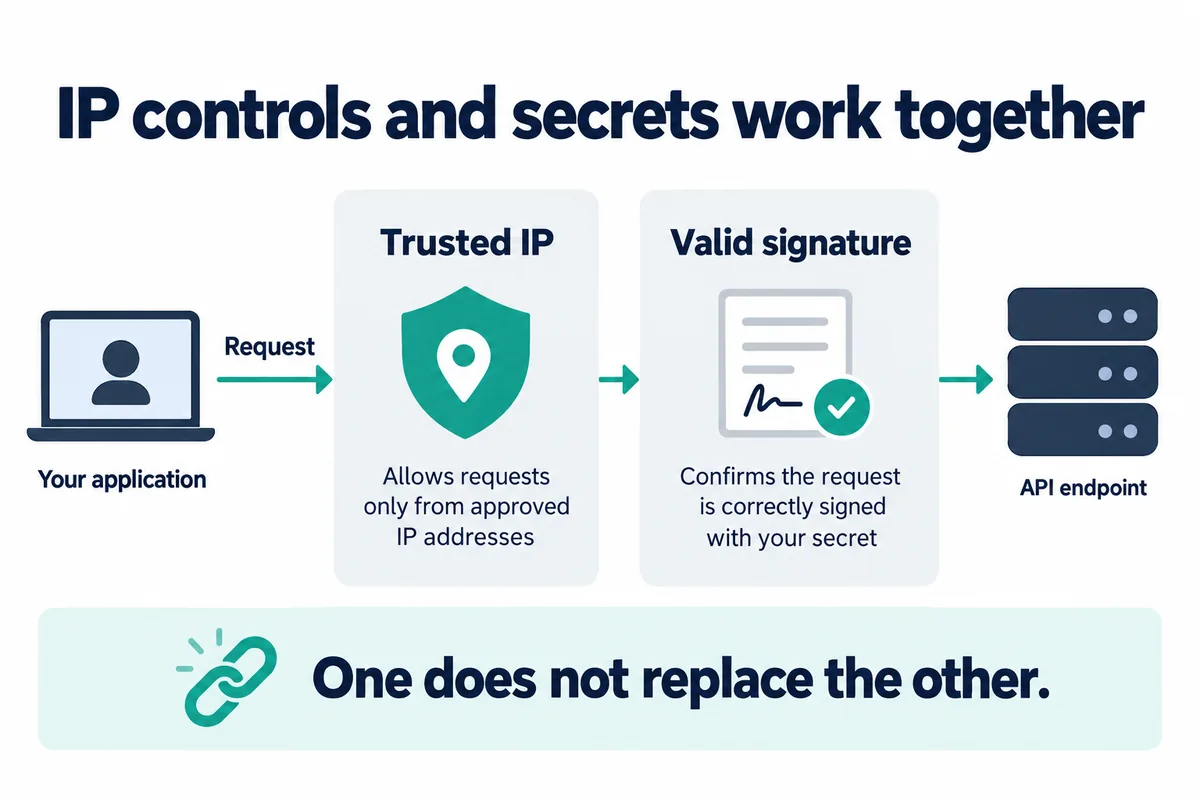
| HMAC Secret Key | Creates signatures with a shared secret | Never share, hard-code, commit or log it; revoke the credential if exposure is suspected |
| RSA or Ed25519 private key | Creates signatures while Binance holds the corresponding public key | Protect the private-key file and passphrase; reference a protected file or secret store instead of embedding key material |
| Permissions | Limit the protected endpoint groups the credential may use | Enable only what the integration needs and review after every workflow change |
| Trusted-IP list | Limits where accepted requests may originate | Allow only verified outbound public IPs and update the list when infrastructure changes |
Binance currently supports HMAC, RSA and Ed25519 signing for Spot API requests. Binance Academy’s July 6, 2026 comparison recommends a passphrase-protected Ed25519 private key for most use cases, while noting that legacy compatibility can differ. Confirm that the intended Binance product, endpoint and client library support the selected key type before changing a working integration.
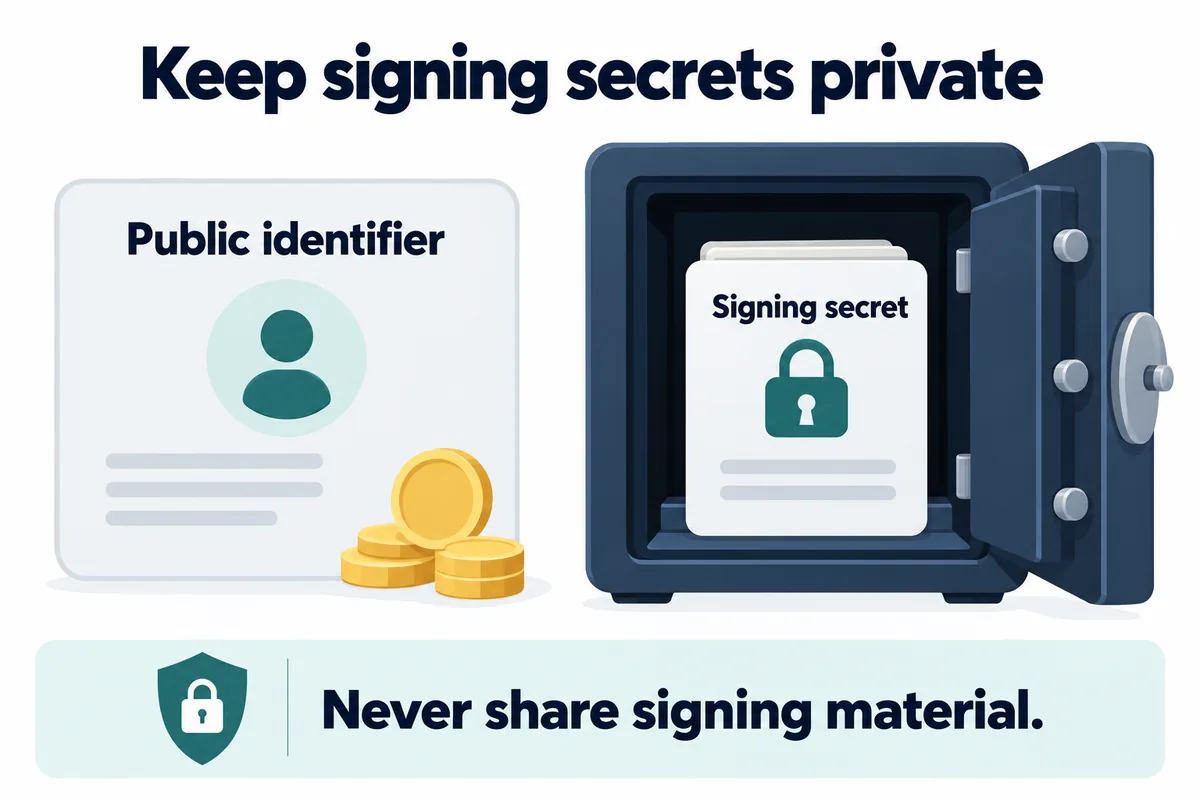
Permission matrix: what should be enabled?
The names below reflect Binance’s current API-permission guidance. The exact options shown can differ by product, account, verification status and region. Do not enable a permission simply because an integration setup page asks for every box.
| Permission | What it can cover | When it may be justified | Default security decision |
|---|---|---|---|
| Enable Reading | Private account information such as balances, order status and transaction history | A portfolio, reporting or tax tool that only reads account data | Use reading only; remember that the exposed data can still be sensitive |
| Enable Spot & Margin Trading | Placing and cancelling supported trading orders | A reviewed trading application that genuinely submits orders | Leave disabled for analytics; limit the key and supported symbols where available |
| Enable Margin Loan, Repay & Transfer | Borrowing, repayment and relevant Margin transfers | A Margin workflow that explicitly performs those actions | Leave disabled unless the integration requires and documents the full flow |
| Permits Universal Transfer | Transfers between supported Binance account types | An internal treasury workflow designed for those transfers | Treat as a high-impact permission and keep it separate from read-only tools |
| Enable Withdrawals | Requests to move supported assets out through withdrawal endpoints | Only a tightly controlled workflow that cannot operate without it | Keep disabled for ordinary trackers and bots; the current Binance Support FAQ states that IP restriction is mandatory before withdrawal permission can be enabled |
Spot API documentation separates public endpoints from protected groups such as USER_DATA and TRADE. Binance Spot documentation states that, by default, an API key cannot use TRADE endpoints; trading must be enabled in API Management. This default is a starting point, not a substitute for reviewing every permission after creation.
A trading-fee discount does not change API security requirements. If the integration will place orders, separately verify the actual commission using the Binance trading-fee check guide. If it can borrow or repay, also review the current liabilities and safeguards described in the Binance Margin interest guide.
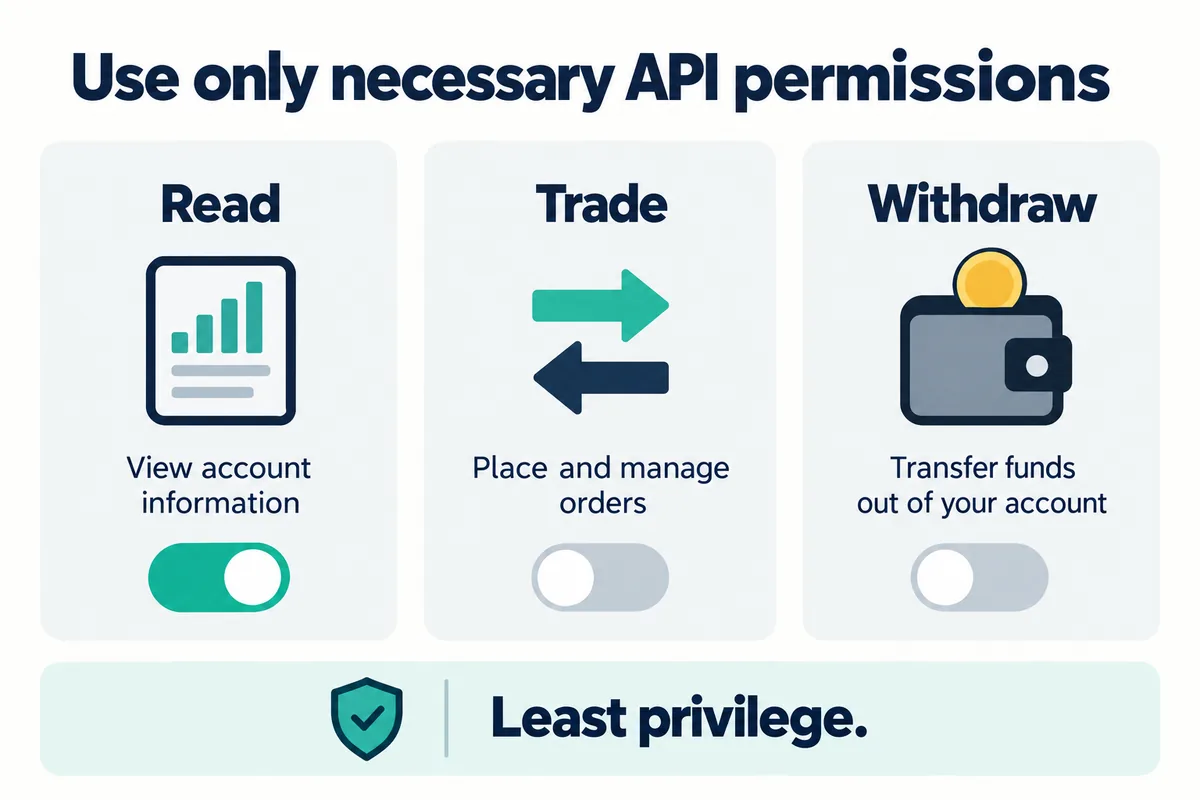
How trusted-IP restrictions reduce risk
An IP allowlist tells Binance to accept the key only when the request appears to come from one of the approved public IP addresses. This can make a copied key less useful to an attacker operating elsewhere. It does not prove that the approved server, application, dependency or administrator account is safe, so it must be combined with least privilege and protected storage.
- Identify the actual public outbound IP used by the application, not a laptop’s private network address.
- Confirm whether the service uses a fixed egress IP. Cloud restarts, NAT gateways, proxies and failover routes can change the address.
- Add only the required trusted IPs in the Binance API Management settings for that key.
- Test a low-risk read request before enabling any additional permission.
- Document who owns each allowed IP and remove entries when a server or vendor is retired.
- When the outbound IP changes, update the allowlist through the authenticated Binance account instead of weakening the key to unrestricted access.
Dynamic consumer connections and serverless services can complicate fixed-IP controls. Do not treat that as a reason to enable broad unrestricted permissions. Consider a fixed-egress architecture, a separately limited key, an appropriate sub-account or an integration that supports the required controls, then verify the current Binance conditions.
Where to check in your Binance account
- Open the official Binance website or app through a trusted route and sign in.
- Open the account or profile area and select API Management. Menu labels can differ by device and region.
- Verify the key label, type and integration owner. An unexplained or duplicate key should be investigated.
- Review every enabled permission and disable anything the current workflow no longer needs.
- Review the trusted-IP restriction and confirm that every listed IP still belongs to the intended deployment.
- Check recent account, order, transfer and withdrawal activity for events that do not match the integration’s purpose.
- After any change, verify that the intended application still works and that no broader permission was re-enabled.
Never type a real API key, secret or private key into a public diagnostic tool, an AI prompt, a support message or a Bimence form. Bimence does not request, test or retain Binance API credentials and cannot repair or recover them.
Safe storage and operational separation
- Do not hard-code secrets: keep credential material outside the application source.
- Keep secrets out of version control: use a protected configuration path, environment injection or a managed secrets service, and ensure local configuration files are excluded from commits.
- Protect private-key files: restrict operating-system access and use a passphrase where the selected key type and integration support it.
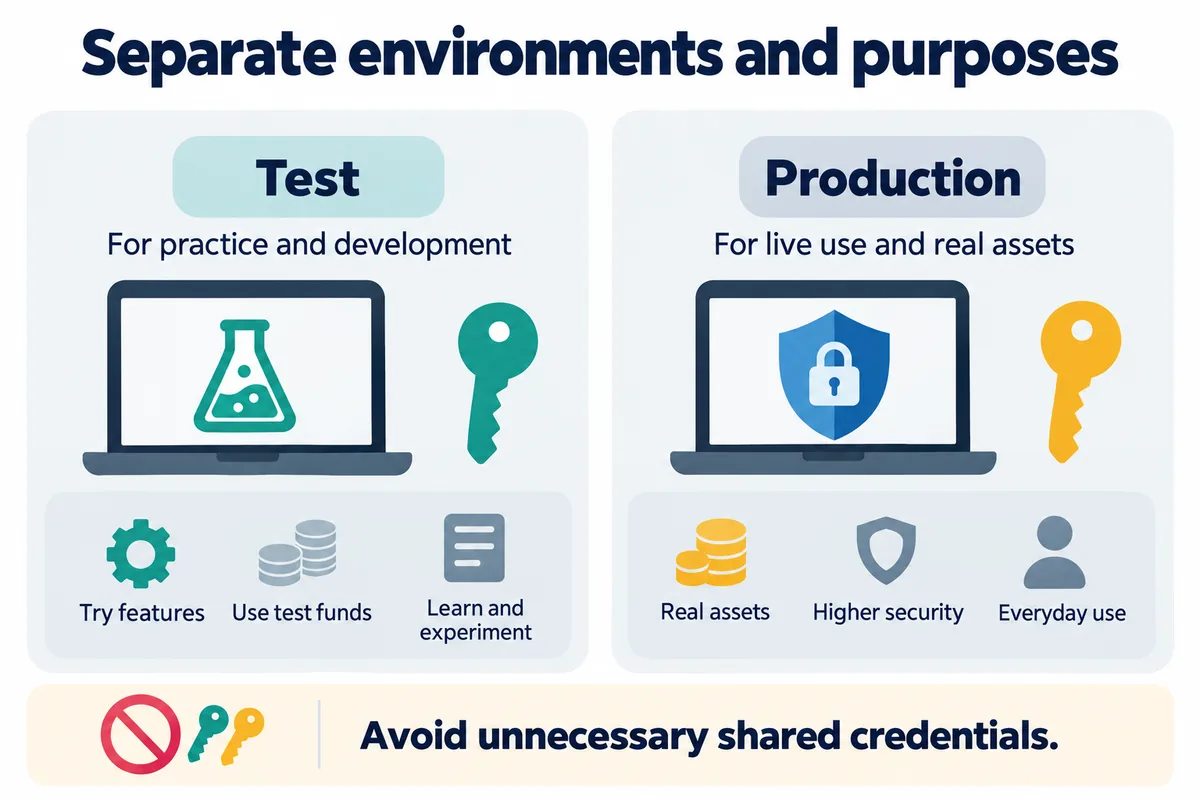
- Separate environments: production and testing should not share the same key, permissions or storage location.
- Separate vendors: give each third-party service its own limited key so one integration can be revoked without interrupting the others.
- Label ownership: record the application, owner, permissions, trusted IPs and review date without copying the secret into the inventory.
- Avoid secret logging: redact headers, configuration dumps, screenshots, crash reports and support bundles.
- Remove unused keys: an inactive integration is not a reason to leave its credential enabled.
Official Binance educational pages use different example intervals for routine key rotation. Because those are recommendations rather than a universal account rule, this guide does not publish one fixed schedule. Review credentials regularly, rotate according to the system’s risk and change process, and revoke immediately after suspected exposure.
Incident response for a suspected API-key leak
Containment should come before investigation when a key may be exposed. Binance Academy says to revoke a compromised key immediately. If unusual account activity is observed, Binance Spot Developer documentation says to revoke all API keys immediately and contact Binance Support.
- Revoke or delete the exposed key immediately in the authenticated API Management screen.
- Stop the affected integration so it cannot keep sending requests or overwrite useful logs.
- Review activity including orders, cancellations, internal transfers, Margin actions, withdrawals, login events and security-setting changes relevant to the enabled permissions.
- Contact official Binance support through the authenticated site or app if unauthorized activity or account risk is suspected.
- Preserve evidence without retaining exposed credentials: record timestamps, request IDs, transaction IDs, repository events, server logs and screenshots with credentials redacted.
- Fix the exposure path such as a public repository, leaked configuration file, malicious extension, compromised server, phishing site or over-privileged vendor.
- Create a replacement only after remediation with a new secret or key pair, a separate storage location, minimum permissions and trusted-IP restrictions.
- Review adjacent credentials if the same machine, repository, password or secrets store held other keys.
Changing a Binance password may be appropriate when broader account compromise is possible, but it should not replace revoking the API credential itself. Review the Binance deposit and withdrawal guide before assessing asset movements, networks and destination details.
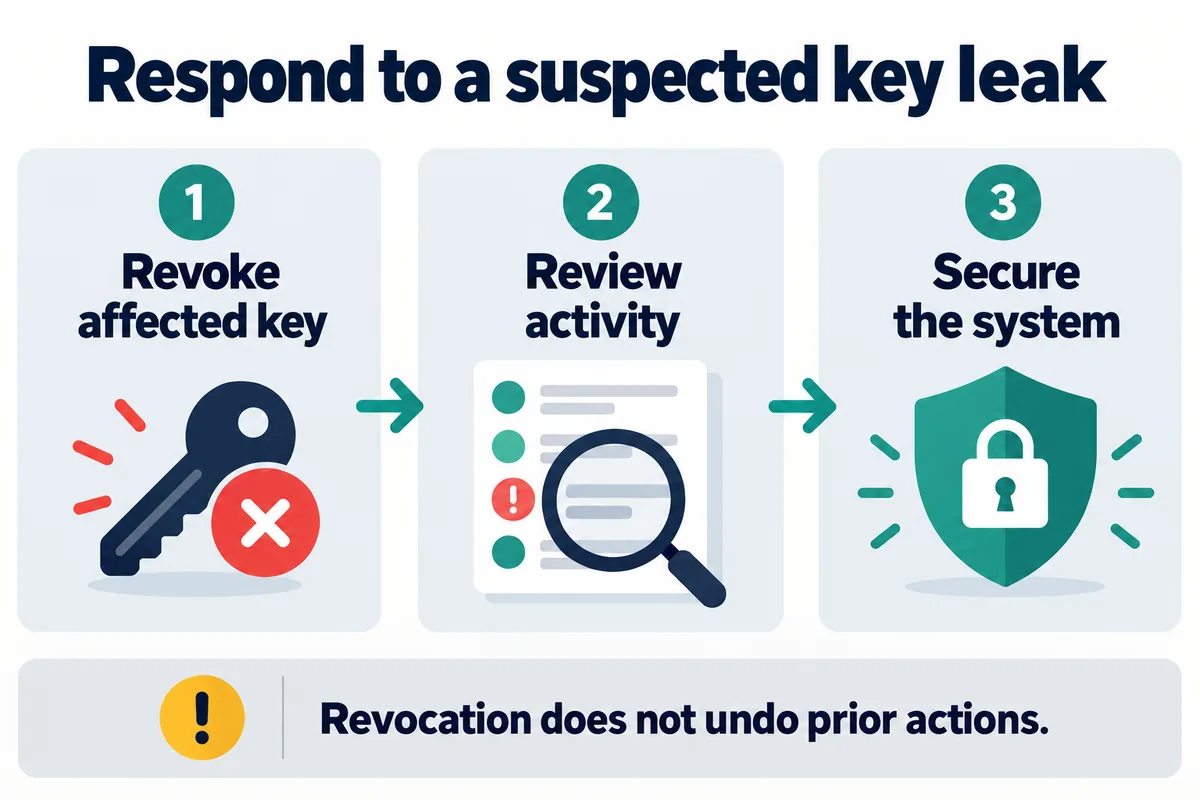
Bimence explanatory diagrams, not official account screens. Product and account conditions apply.
Common Binance API security mistakes
- Treating read-only access as harmless: balances and transaction history are valuable private information even when orders cannot be placed.
- Giving a trading bot withdrawal access: order execution does not normally require permission to withdraw assets.
- Reusing one key everywhere: shared credentials make attribution, containment and revocation harder.
- Allowing every IP because a service changes addresses: redesign the connection or use a more limited credential instead of silently removing a major control.
- Putting a secret in a repository and deleting only the commit: assume the credential may already have been copied and revoke it.
- Creating a replacement before fixing storage: the new key can leak through the same path.
- Trusting a vendor label without checking permissions: compare the requested access with the integration’s actual functions.
- Assuming BIMENCE changes API permissions: a referral code does not authorize, protect or recover an API credential.
Frequently asked questions
Is a read-only Binance API key safe?
It is safer than a key with trading, transfer or withdrawal permissions, but it is not harmless. A read-only key can expose private account information such as balances, order status and transaction history. Protect it, restrict it to trusted IPs where practical and revoke it when it is no longer needed.
Does a Binance trading bot need withdrawal permission?
Ordinary order placement does not require withdrawal permission. Binance’s current Academy guidance specifically distinguishes trading permission from withdrawals. Verify the bot’s documented functions and keep withdrawals disabled unless the workflow truly cannot operate without them.
Is IP restriction required for a Binance API key?
Binance strongly recommends trusted-IP restrictions. The currently available Binance Support FAQ states that adding IP access restrictions is mandatory before withdrawal permission can be enabled, but the page can redirect by region and says its information may be outdated. Check the live API Management screen for the account and region. An IP allowlist reduces risk but does not guarantee security.
How often should a Binance API key be rotated?
There is no single interval in this guide because official educational examples and organizational requirements differ. Review keys regularly, rotate them through a controlled process appropriate to the system, and revoke immediately if exposure is suspected or an integration is retired.
What if the application uses changing IP addresses?
Do not automatically switch to a broad unrestricted key. Consider stable outbound IP infrastructure, a separately limited credential, an appropriate sub-account or another architecture supported by the integration. Confirm the current product and account conditions with Binance.
Can Bimence check or recover my Binance API key?
No. Bimence does not request an API key, Secret Key, private key, passphrase, password, OTP or recovery material. Do not send them to Bimence. Revoke exposed credentials inside Binance and use authenticated Binance support for account incidents.
Official sources checked on August 31, 2026
- Binance Developer Docs: General REST API Information — supported key types, protected endpoint security, permission separation, default trading restriction and immediate revocation guidance.
- Binance Support: How to Create API Keys on Binance? — API Management route, system-generated HMAC versus self-generated Ed25519/RSA, unrestricted-IP limits and the stated IP-restriction requirement for withdrawal permission; the page may redirect by region and says its information may be outdated.
- Binance Academy: What Are API Keys and Security Types? — updated July 6, 2026; key types, protected storage, trusted-IP restrictions, permission options and incident remediation.
- Binance Academy: What Is an API Key and How to Use It Securely? — updated May 26, 2026; least privilege, per-service key separation, rotation examples, read-only data exposure and incident response.
Affiliate disclosure: Bimence may receive a commission for eligible actions completed through the BIMENCE link. This does not make Bimence part of Binance, and the referral code does not grant API permissions or prove that an integration is safe. Risk warning: API trading, transfers, Margin and withdrawals can create financial and security risks, and crypto transactions may be irreversible. Product availability varies by region. This article is general education, not cybersecurity, investment, financial, legal or tax advice.