
Short answer: If a Binance crypto deposit is not credited, first check the TxID on the correct blockchain, the number of confirmations, the asset and network supported by Binance, the deposit address, any required memo or tag, the minimum deposit amount, and wallet-maintenance status. A confirmed transaction is not automatically eligible for recovery: Binance separates pending transfers, missing or wrong memo cases, unsupported deposits, withdrawals sent to a wrong destination, and other recovery types. Do not send another transaction until you know which case applies.
Last reviewed: August 26, 2026. Recovery eligibility, fees, estimated processing times, supported assets and networks, minimum amounts, required confirmations and account controls can change. The status and instructions displayed in your Binance account and the official recovery application control your case; recovery is never guaranteed.
Binance deposit not credited: quick diagnosis
| What you see | Likely category | First check | Next step |
|---|---|---|---|
| TxID is unconfirmed, pending or failed | Blockchain or sending-platform delay | Open the TxID in the explorer for the network actually used | Wait for confirmation or contact the sending platform; Binance self-service recovery requires a confirmed or successful transaction |
| Confirmed, correct address and supported route, but still missing | Uncredited deposit | Compare the asset, network, amount, confirmations and Binance deposit history | If eligible and still missing after the official waiting condition, use Binance self-service recovery |
| Confirmed to Binance address, memo or tag missing or wrong | Memo or tag routing error | Compare the required memo or tag with the Binance deposit page | Check eligibility for the dedicated Tag/Memo Recovery form |
| Confirmed on a network Binance does not support for that asset | Unsupported-network deposit | Check the live Deposit & Withdrawal Status page | Do not assume recovery; review Smart Retrieval or the applicable official recovery category |
| Amount is below Binance’s displayed minimum | Below-minimum deposit | Check the minimum shown for the exact asset and network | Follow the account’s current deposit-history or support guidance; do not send more merely to guess |
| Binance withdrawal went to a wrong external address | Wrong-destination withdrawal, not a Binance deposit recovery | Check the withdrawal TxID and receiving address | Contact the receiving wallet or platform; Binance says its deposit recovery service does not cover this case |
What “confirmed” does and does not mean
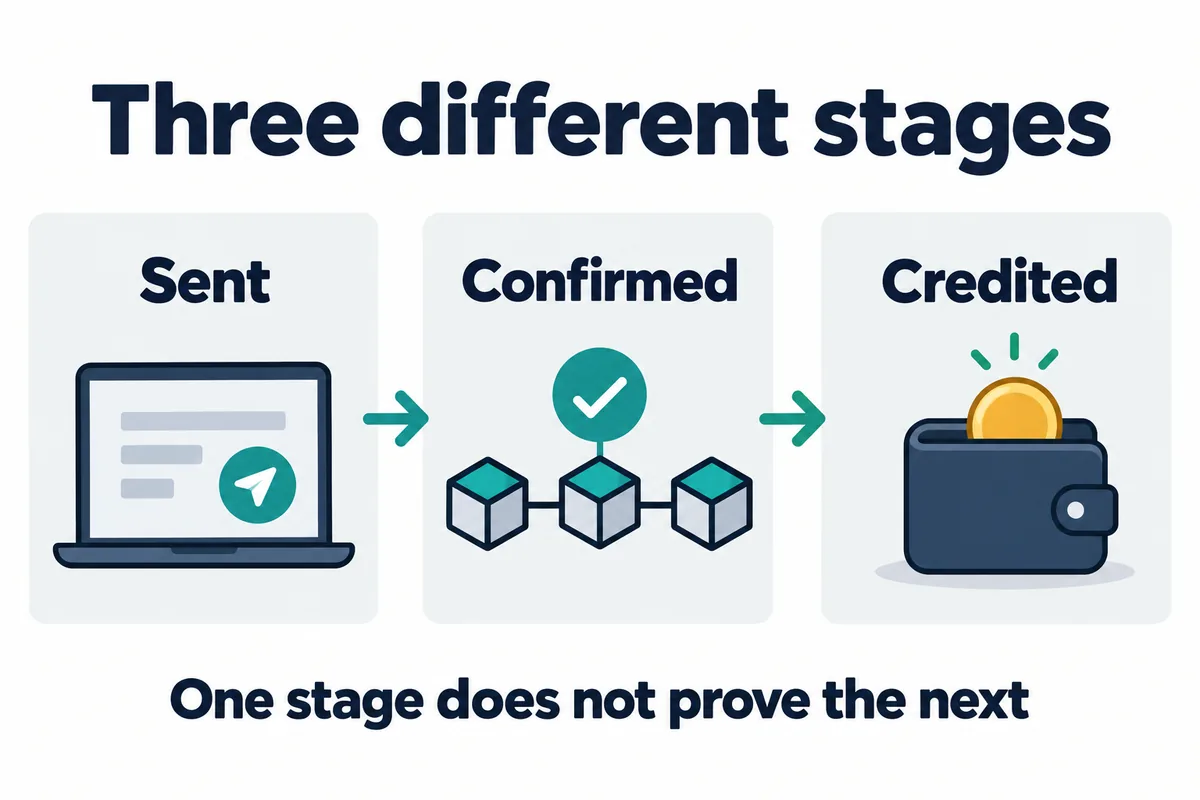
A blockchain confirmation shows that the network processed a transaction. It does not prove that Binance can automatically assign the deposit to your account. Binance may require a different number of confirmations for each asset, and some funds can be visible but not yet unlocked while additional confirmations accumulate.
Use the TxID or transaction hash from the sending wallet or platform. Open it in an explorer that matches the network actually used. Confirm the transaction status, asset or token contract, amount, sending address, destination address, network and time. A TxID searched on the wrong chain can appear missing even when the transaction exists elsewhere.
If the explorer says the transaction is unconfirmed or failed, Binance’s current recovery guide says not to submit a self-service recovery application. Wait for the network or contact the platform that initiated the withdrawal. If the explorer says confirmed or successful, continue with the account-side checks below.
Check the asset, network, address and minimum
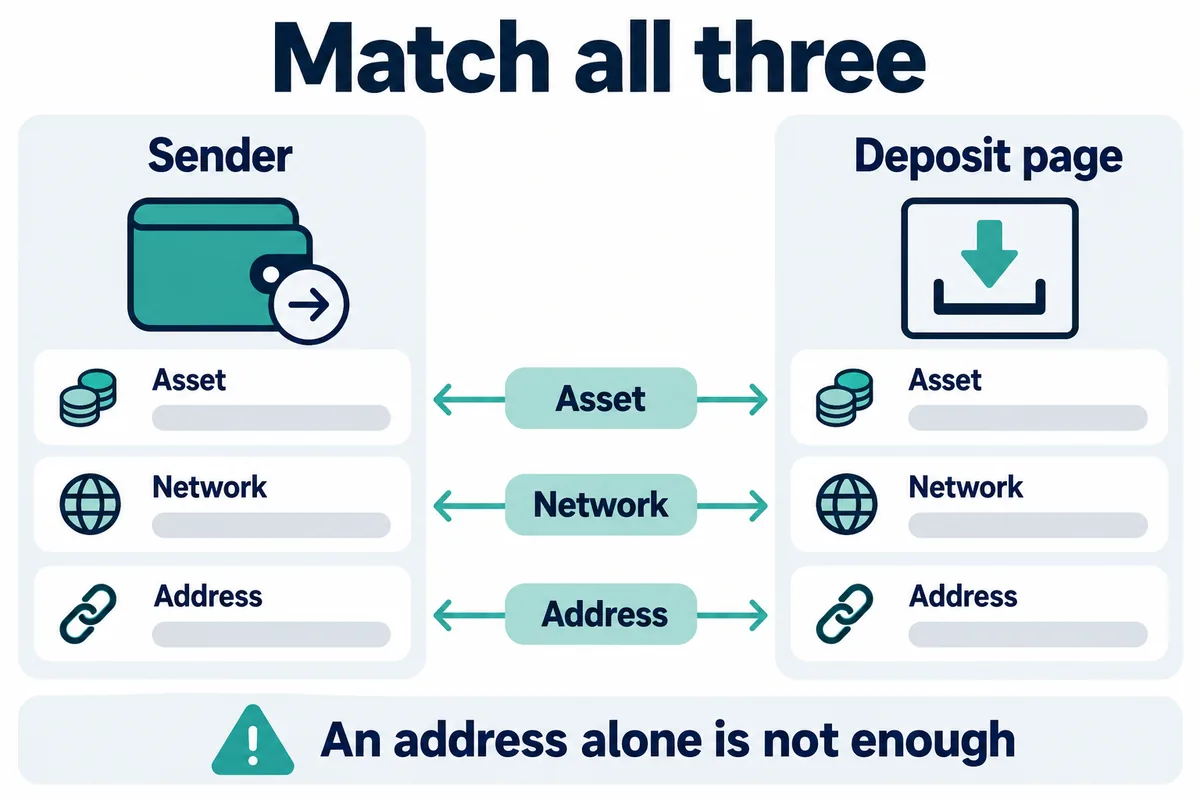
- Asset: verify the exact coin or token contract, not only a similar ticker.
- Network: compare the network used by the sender with the deposit network Binance supports for that asset now.
- Address: compare the full destination in the explorer with the Binance deposit address that applied to the account.
- Memo, tag or payment ID: check whether Binance required an additional identifier and whether the submitted value matches exactly.
- Amount: compare the on-chain amount with the current minimum deposit for the exact asset and network.
- Confirmations: compare the explorer’s count with the confirmation requirement shown by Binance.
- Status: check for wallet maintenance, a suspended deposit route, “Wrong Deposit,” “Retrieve now,” or another instruction in deposit history.
Support for a network does not necessarily mean every token on that network is supported. Conversely, an asset can be listed while one of its networks is unavailable. Binance’s official status page and the live crypto deposit screen are the relevant sources for the specific route.
For prevention and the normal transfer flow, read the broader Binance deposit and withdrawal safety guide. This article is narrower: it starts after a deposit has already been sent and is not showing as expected.
Missing or wrong memo and tag deposits
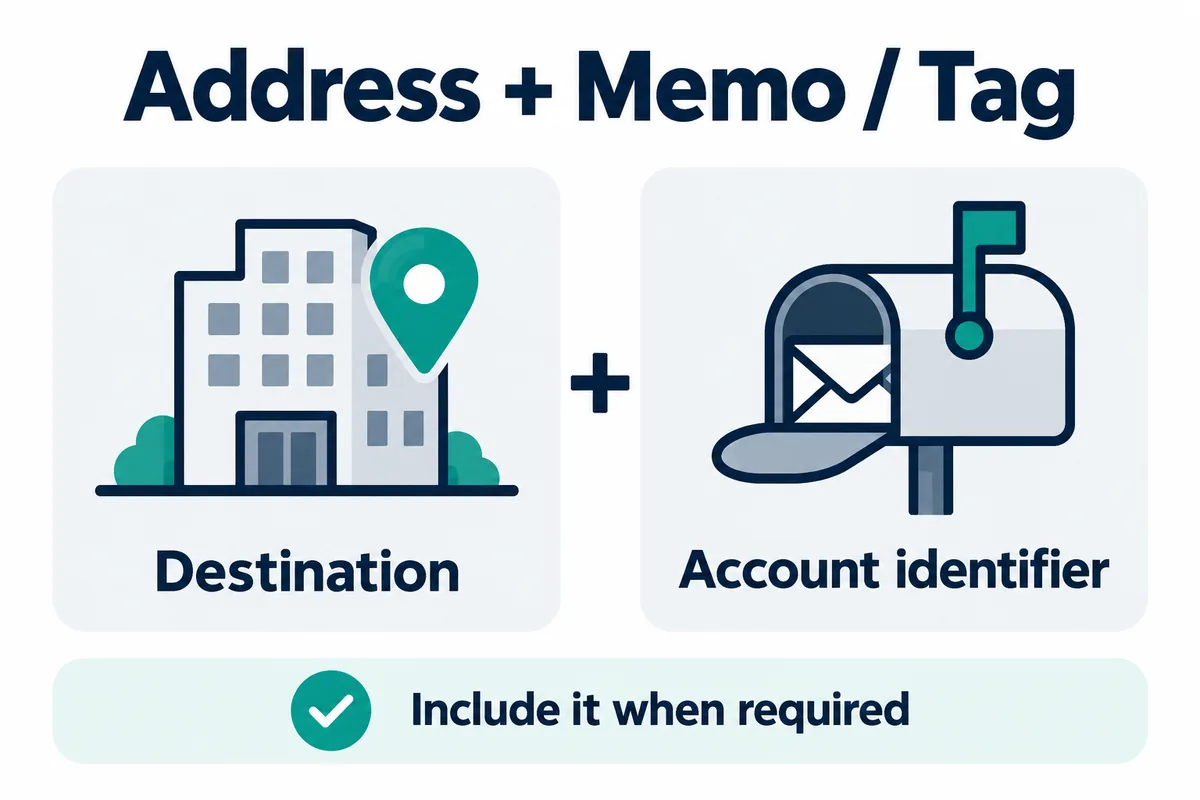
Some deposit systems use one address format for many users and rely on a memo or tag to assign the transfer to the correct account. Binance’s current support document gives XRP and TON as examples in its general recovery guide, while its Tag/Memo article lists other examples and stresses that the live asset and network support must be checked.
A missing memo is not the same as a wrong network. For the dedicated Tag/Memo Recovery form, Binance currently says the deposit must involve a coin or token listed on Binance and the network must use the relevant shared-address and memo structure. The form asks for the coin or token, accurate deposit amount and TxID or TxHash. The amount supports up to eight decimal places in the form, without separators.
Important limits apply. Binance says an approved memo recovery is returned to the original sender’s address. If that sender is another platform, you may need its assistance. If an incorrect memo happens to belong to another user and the deposit was credited there, Binance says it cannot assist. The recovery service also cannot proceed when the amount remaining after the applicable transaction fee is below the minimum withdrawal amount.
When Binance self-service recovery may apply
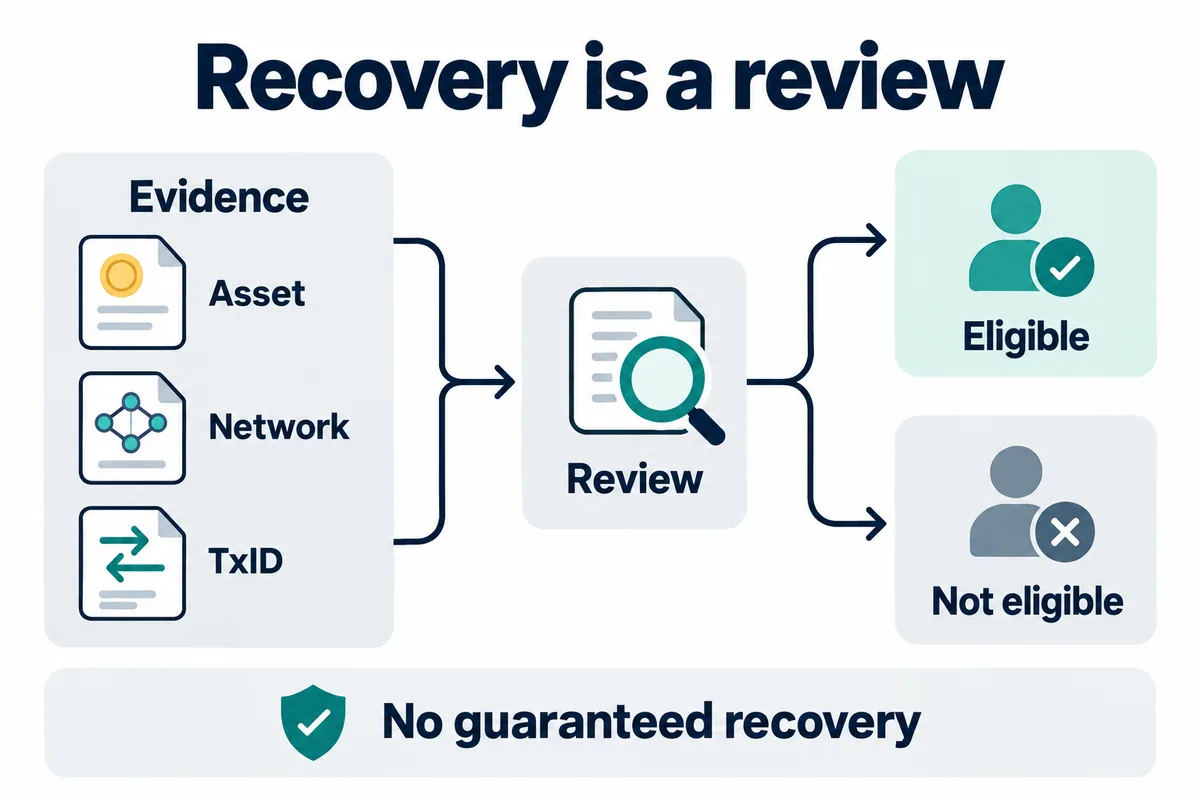
Binance’s self-service recovery guide, updated May 29, 2026, says an application is for crypto deposited into your own Binance account. The blockchain transaction must be confirmed or successful. The guide identifies several possible categories, including a missing memo or tag, certain Smart Retrieval cases shown as “Wrong Deposit,” and transactions meeting the BNB Pioneer Burn Program conditions.
The same guide says that if a transaction is eligible and the funds still have not arrived after one hour, the user can complete the self-service recovery application. That one-hour statement is an eligibility checkpoint in the official guide, not a promise that every valid deposit will be credited or recovered within one hour.
Cases the deposit recovery form does not cover
- Unconfirmed or failed transaction: it has not met the blockchain-status requirement.
- Wrong-address withdrawal from Binance: funds already sent to an external destination are not an incoming Binance deposit case.
- Deposit to another user’s Binance account: the sender cannot file recovery for someone else’s account.
- Application on behalf of another person: the account owner must handle the case.
- Unsupported contract outside the applicable program: eligibility depends on the official recovery category, not merely on the transaction being visible on-chain.
- Incorrect or mismatched evidence: a wrong TxID, address, asset or amount can cause rejection.
- Deposit already credited: check wallets and deposit history before filing or repeating an application.
Do not pay an unsolicited “recovery agent,” install remote-access software, or disclose a password, one-time code, API secret, seed phrase or private key. Use the official Binance website or app and confirm any support channel directly. The Binance account security checklist explains additional safeguards.
Recovery fee and processing-time examples
On August 26, 2026, Binance’s official self-service recovery table displayed the following general examples. Processing starts after Binance receives the required information and fee, not on the initial submission date. Binance expressly says actual completion can take longer and fees are subject to change.
| Recovery type in Binance’s table | General ETA shown | Fee shown | Outcome shown |
|---|---|---|---|
| Deposit without or with wrong memo | 7 working days | Network withdrawal fee | Refund |
| Deposit not credited | 5 working days | Free | Credit |
Recovery-fee condition checked 2026-10-29: Binance‘s self-service recovery FAQ says the service fee is collected only if retrieval succeeds. The fee for an individual application is shown in Application Records; eligibility and successful recovery are not guaranteed.
These are not fixed promises for a particular case. The application category, asset, network, evidence, complexity, market conditions and account status can change the applicable fee and time. Check Application Records for the amount and status Binance assigns to your application. Do not rely on a third-party fee table or an old screenshot.
Where to check inside your Binance account
- Open the official Binance website or app and go to the crypto transaction or deposit history for the relevant wallet.
- Find the missing deposit and copy its TxID or TxHash from the sending platform if Binance does not yet list it.
- Open the TxID in the explorer for the network used and verify that the transaction is confirmed or successful.
- Open Binance’s crypto deposit screen for the asset and compare the supported network, address, memo or tag requirement, confirmation count and minimum.
- Check the live Deposit & Withdrawal Status page for suspended or unsupported routes.
- If deposit history marks the item “Wrong Deposit,” open the transaction and check whether Binance offers Retrieve now.
- For a confirmed eligible deposit still missing after the applicable waiting condition, open the official self-service recovery flow and enter the TxID exactly.
- For a wrong or missing memo or tag, use the dedicated Tag/Memo Recovery flow when the official eligibility rules match.
- Monitor Application Records and provide additional proof only through the official flow if requested.
Take screenshots of the official transaction history, but do not edit them. Keep the asset, network, amount, TxID, sending address, destination address, memo or tag, time and platform name together. Binance may request additional information or a video to establish that the deposit is authentic.
Before trying another transfer
- Do not repeat the same deposit merely because the first one is delayed.
- Do not change networks based on a similar address format.
- Do not omit a memo or tag when the Binance deposit screen requires it.
- Do not assume a listed token is supported on every blockchain.
- Do not use an address from an old screenshot when Binance shows a current deposit address.
- For a new route or material amount, consider a small test transfer after all fields have been verified.
Network fees and withdrawal minimums are separate from trading fees. See the Binance withdrawal fee guide for how live network charges can change. If you do not yet have an account, the Binance sign-up guide explains registration and verification; referral code BIMENCE does not create recovery eligibility, waive a recovery fee or guarantee support.
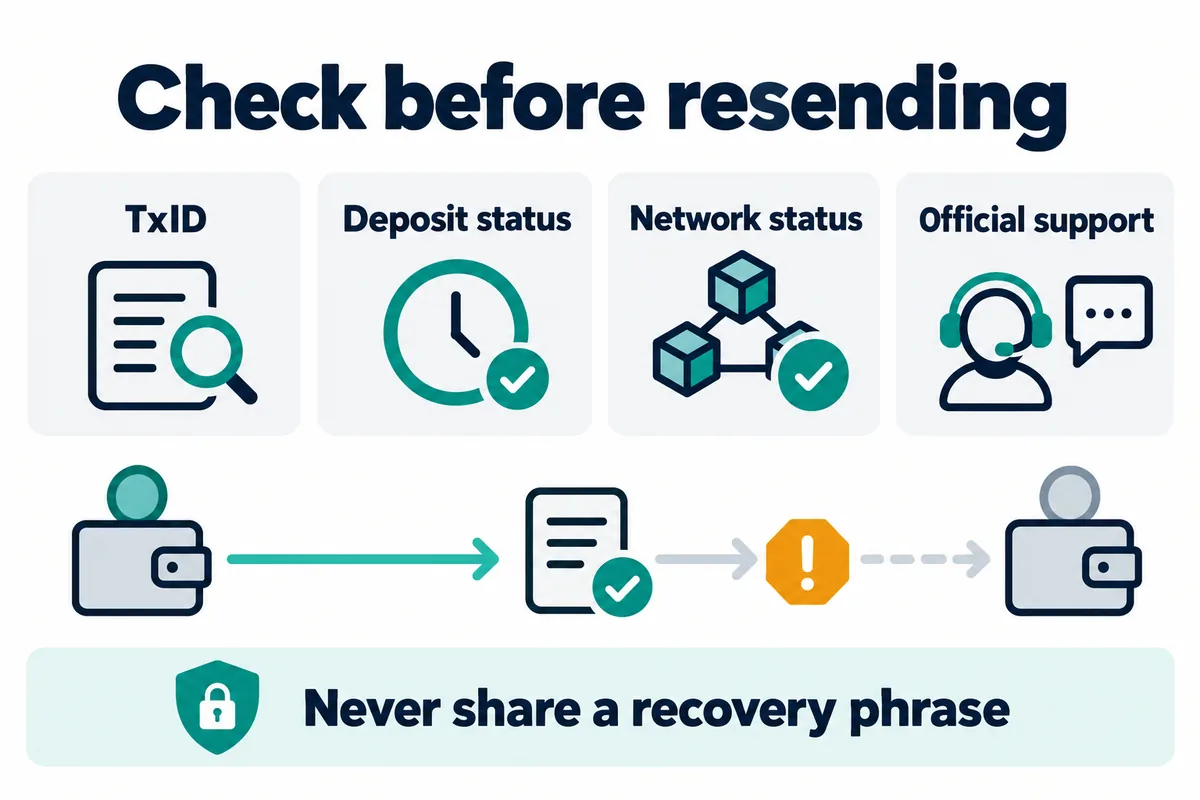
Bimence explanatory diagrams, not official account screens. Product and account conditions apply.
Frequently asked questions
Why is my Binance deposit confirmed but not showing?
Possible reasons include insufficient Binance-required confirmations, an unsupported token or network, a wrong address, a missing or wrong memo or tag, an amount below the current minimum, wallet maintenance or a deposit that needs a recovery review. Compare the TxID and every deposit field before choosing a recovery category.
Can Binance recover a deposit sent on the wrong network?
Do not assume it can. Binance’s current support material says an unsupported-network deposit might be lost and unrecoverable, while some specific transactions can qualify for Smart Retrieval or another recovery category. The result depends on the exact asset, network, address, account and official application.
Is a missing memo deposit always recoverable?
No. The dedicated form has eligibility limits. Binance currently requires a supported memo-based structure and a listed asset for that form, and it identifies cases it cannot assist with. The amount after the applicable fee must also meet the minimum withdrawal requirement.
How long does Binance deposit recovery take?
The official table checked on August 26, 2026 displayed general examples of five working days for “deposit not credited” and seven working days for “deposit without or wrong memo.” Binance says processing begins after required information and any fee are received, actual completion can take longer, and fees and estimates can change. Use the time shown in your application record.
Does code BIMENCE help recover a deposit?
No. BIMENCE is a referral code. It does not control deposit crediting, network support, memo routing, recovery eligibility, fees, review time or outcome. Use official Binance support for an account-specific deposit issue.
Official sources checked on August 26, 2026
- Binance Support: Why Hasn’t My Deposit Been Credited? — updated December 19, 2025; confirmations, unsupported token or network, wrong address or memo, minimum deposit and maintenance causes.
- Binance Support: Self-Service Recovery for a Deposit That Hasn’t Arrived — updated May 29, 2026; eligibility, exclusions, application records, evidence, fees and general processing estimates.
- Binance Support: Wrong or Missing Tag/Memo Recovery — current page checked August 26, 2026; eligible memo deposits, required fields, original-sender refund, fees and rejection reasons.
- Binance Deposit & Withdrawal Status — live asset and network availability; account and regional access can vary.
Affiliate disclosure: Bimence may receive a commission for eligible actions completed through the BIMENCE link. Risk warning: Blockchain transfers can be irreversible, recovery is not guaranteed, and crypto assets are volatile. Product availability varies by region. This article is general education, not recovery, investment, financial, legal or tax advice.