
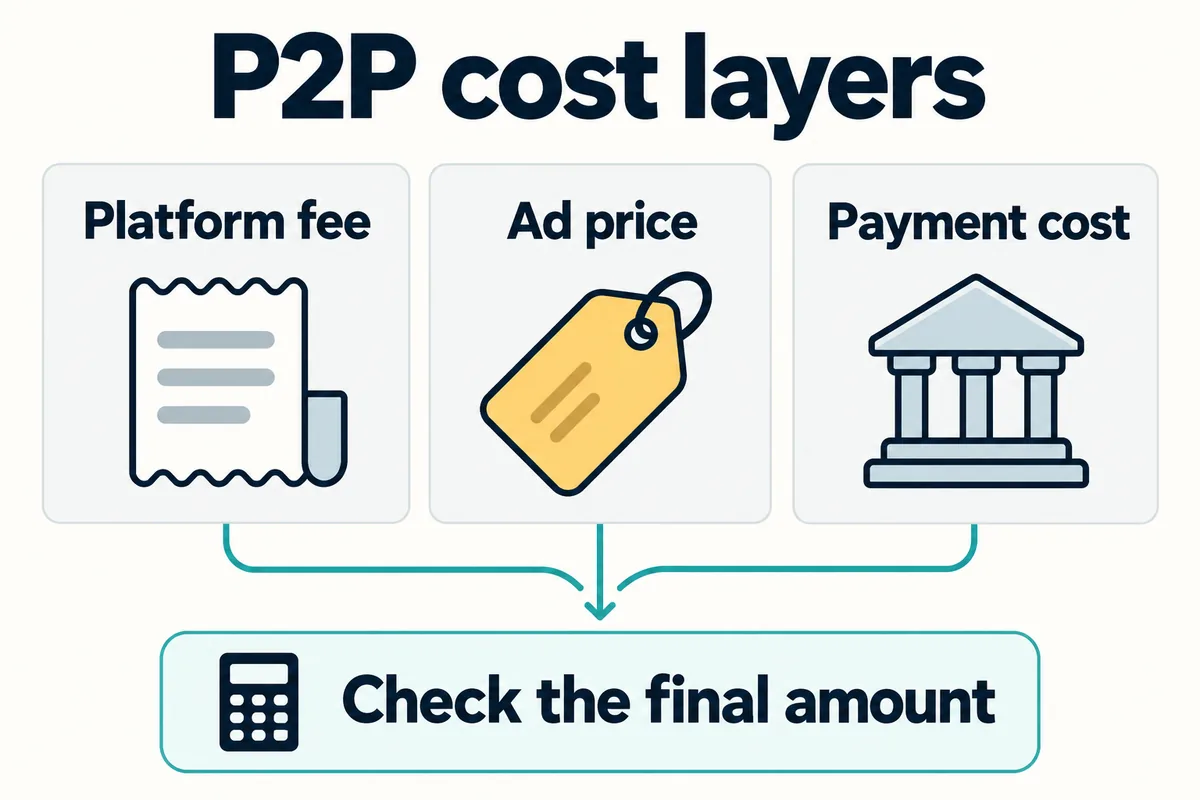
Short answer: Binance P2P does not have one universal fee rule for every user, role, fiat market and pair. Binance Academy currently describes taker trades as zero trading fee, while Binance’s merchant rules say maker and taker rates can range from 0% to 0.35% depending on the fiat market and trading pair. Even when the displayed platform fee is 0%, the advertiser’s price can be above or below a separate market reference, so compare the final crypto amount and payment total before placing an order.
Last reviewed: August 24, 2026. P2P availability, KYC requirements, payment methods, advertiser eligibility, fee schedules and dispute procedures can vary by account and region. The live order preview, advertisement terms and fee information shown inside your Binance account control your trade.
Binance P2P fees and prices at a glance
| Cost or risk | How it appears | What to verify |
|---|---|---|
| P2P trading fee | May be 0% for an eligible taker trade, but role-, market- or pair-specific rates can apply | Check the live order or advertisement interface and the current P2P rules for your market |
| Advertiser price difference | Built into the ad’s quoted fiat price | Compare several eligible ads and a same-time reference rate |
| Payment-provider cost | A bank, wallet or payment service may impose its own charge | Check the provider before sending; never add an unlisted payment |
| Order limits | Each ad sets a minimum and maximum fiat amount | Use the same amount when comparing ads |
| Counterparty and payment risk | Completion history, terms, name matching and payment confirmation matter | Keep the trade on-platform and use escrow and appeal tools correctly |
Does Binance P2P charge a fee?
The most accurate answer depends on what you do on the marketplace. A maker posts an advertisement. A taker accepts an existing advertisement. Binance Academy’s P2P guide, updated June 26, 2026, says takers pay zero trading fees. The Binance P2P merchant guidelines, updated March 4, 2026, say maker and taker transaction fees can range from 0% to 0.35% depending on fiat markets and trading pairs.
Those statements should not be converted into a promise that every Binance P2P order is always free. They apply to different contexts, and the merchant guidelines expressly limit parts of their scope.
Your role, fiat currency, crypto pair, account type, location and live product terms can affect what is available. If Binance shows a commission in the order or advertising interface, use that displayed amount rather than a generic article or an old screenshot.
A bank, e-wallet or other payment provider may also charge independently of Binance. That is not the same as a Binance P2P trading fee. Review both the Binance order and the external payment method before transferring funds.
Why Binance P2P prices differ from Spot or Convert
Binance P2P is an advertisement marketplace, not the Spot order book. Advertisers choose a price, payment method, order limits, payment window and terms. Binance Academy notes that merchants may set their own prices and that those prices can reflect their margins. As a result, a “0% fee” label does not mean the ad must match the Spot midpoint or a Binance Convert quote.
- Fiat and payment method: bank transfer, cashless wallet and other methods can have different demand, speed and provider costs.
- Liquidity: a lightly served fiat market can have fewer competitive ads.
- Order size: the best headline price may not accept your intended amount.
- Advertiser margin: the maker can price in operating cost, risk and desired margin.
- Counterparty quality: verified-merchant status, completed orders, completion rate and release time may influence the price a user is willing to accept.
- Market movement: a Spot or Convert reference can move while a P2P ad remains visible.
- Buy versus sell direction: the best price when buying crypto is not the same comparison as the best price when selling it.
How to calculate the P2P price difference
For a buyer, compare the ad’s fiat price per unit of crypto with a same-time reference expressed in the same fiat currency and direction.
Buyer price premium (%) = (P2P ad price − reference price) ÷ reference price × 100
Suppose a USDT buy ad quotes 1.015 units of fiat per USDT while a same-time reference is 1.000. The hypothetical premium is:
(1.015 − 1.000) ÷ 1.000 × 100 = 1.5%
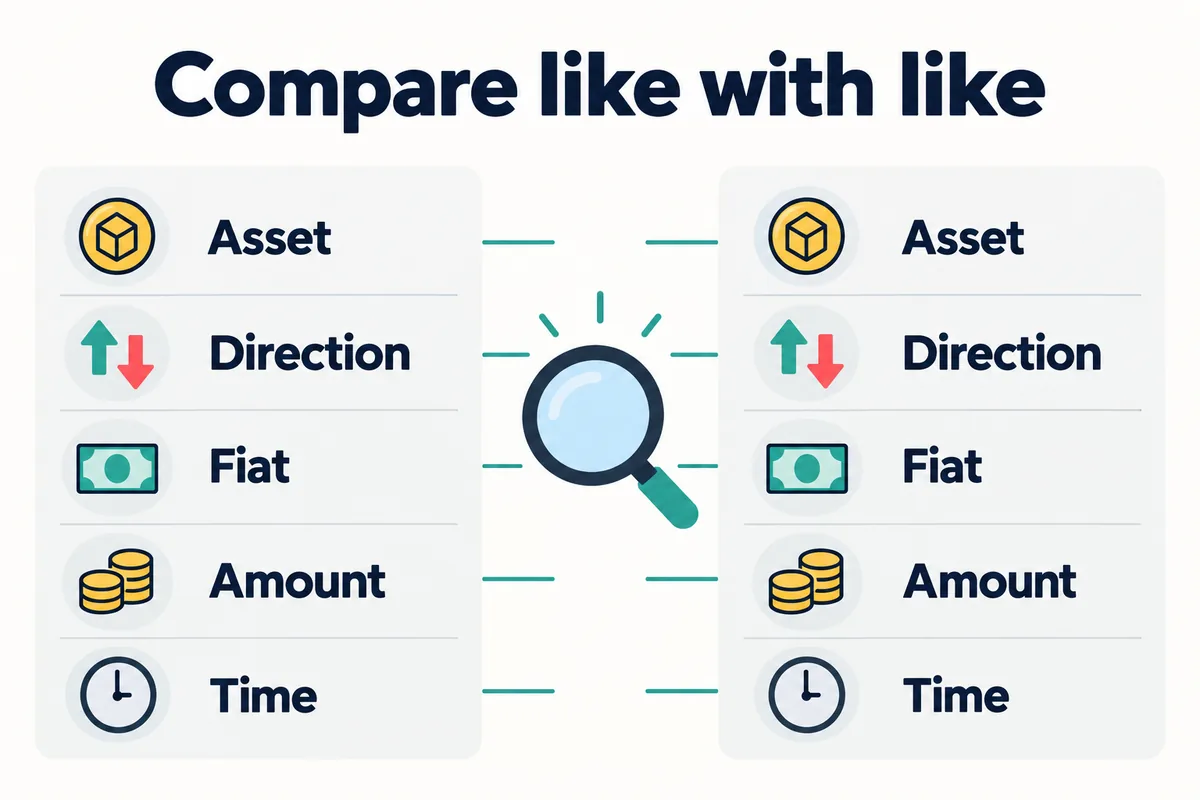
This does not prove that Binance charged a 1.5% fee. It measures the difference between one advertiser’s price and the chosen reference at that moment. A valid comparison uses the same asset, direction, fiat currency, amount and time. It also checks whether the reference itself includes a Spot commission, Convert quote gap or currency-conversion cost.
A better way to compare P2P advertisements
- Select the crypto, fiat currency, buy or sell direction, exact amount and payment method.
- Compare only ads whose minimum and maximum limits include that amount.
- Read each advertiser’s terms before opening an order.
- Check completed-order count, completion rate, average payment or release time and recent feedback where Binance displays them.
- Calculate the final crypto received or fiat received—not only the quoted unit price.
- Check whether Binance displays a transaction fee for your role, pair and market.
- Check whether your bank or payment provider charges a separate fee or performs currency conversion.
- Reject unusually attractive prices that require off-platform contact, third-party payments or extra undisclosed charges.
If you are comparing a P2P ad with another Binance route, read the Binance Convert fee and spread guide and the broader Binance fees guide. The relevant comparison is the net amount after every applicable cost, not the route with the most appealing headline.
Same total budget: price and separate payment cost
Bimence fictional inputs, not actual ads or fee quotes: A price 1.015 USD per example token, disclosed external payment cost 0 USD; B price 1.010 USD per token, external cost 1 USD. Each external cost is included in the total budget.
Compare the same token, buy direction and observation time, with eligible account/region/payment conditions and both ads accepting each budget. Assume no platform commission, currency conversion or other charges only for this example; this is not a universal zero-fee rule. USD is the illustrative fiat unit, not USDT.
Q = (B − C) ÷ P. B = total budget; C = disclosed external payment cost; P = unit price; Q = received token units.
| Budget (USD) | A | B |
|---|---|---|
| 100 | 98.522167 | 98.019802 |
| 203 | 200.000000 | 200.000000 |
| 1000 | 985.221675 | 989.108911 |
At 203 USD both scenarios give 200 units; the quantity comparison reverses between the 100 and 1000 USD examples. Results are rounded to six decimals, not actual asset precision. Unknown charges must not be treated as zero. A lower unit price or modeled cost does not establish counterparty safety, justify a larger budget or legitimize undisclosed extra payments.
How Binance P2P escrow works
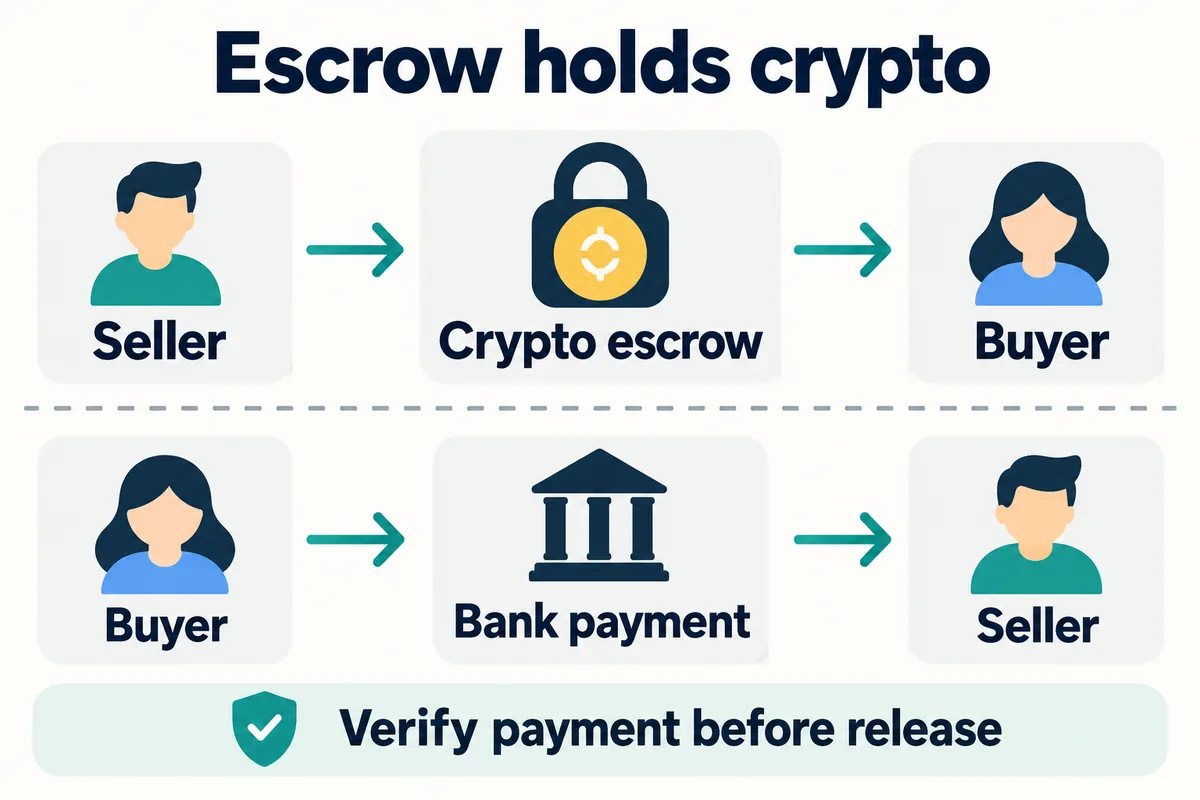
When a buyer places an order, Binance’s current Academy guide says the seller’s crypto is locked in escrow. After the buyer completes the agreed payment and the seller verifies receipt, the crypto is released to the buyer. Escrow helps reduce counterparty risk, but it does not replace the user’s own verification.
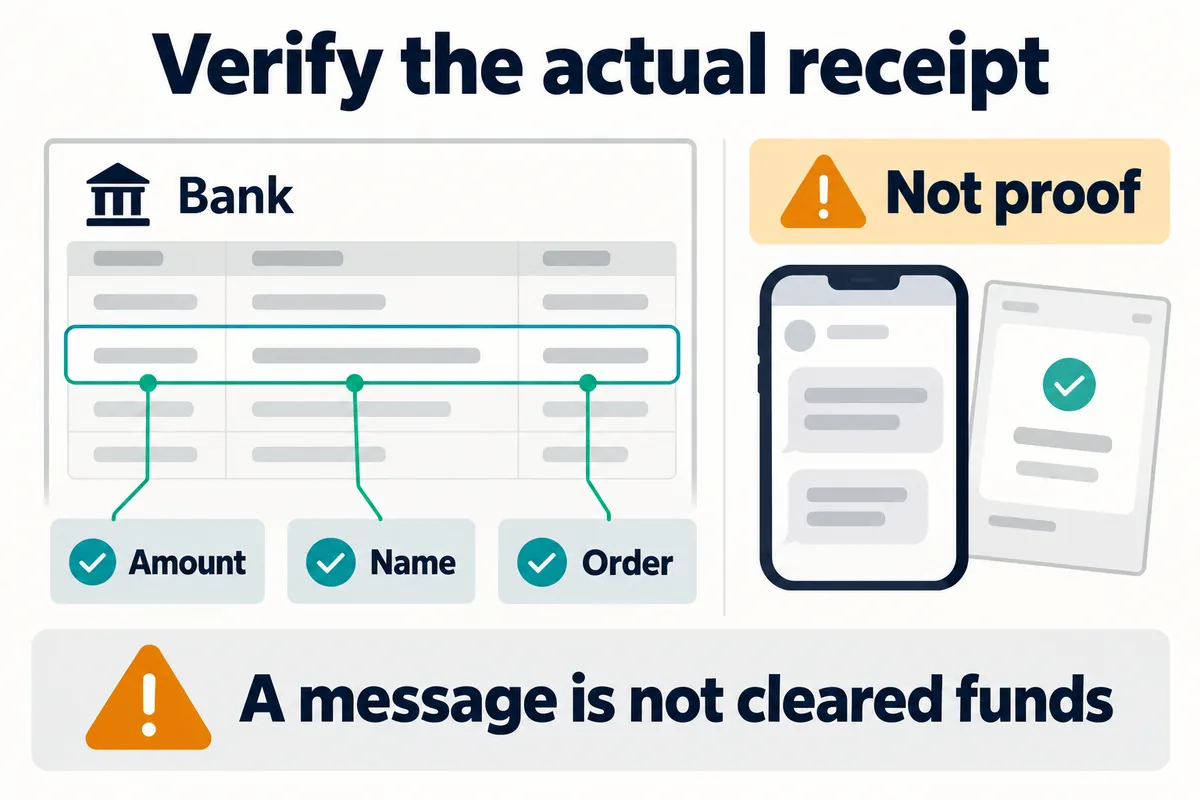
A seller should verify the exact payment in the actual bank or payment account before releasing crypto. A screenshot, SMS, email or a buyer’s “paid” status is not proof that cleared funds arrived. A buyer should pay only through the method and instructions shown for that Binance order and should not ask for release before payment is complete.
Binance P2P safety checklist
- Complete required verification: Binance Academy says P2P users must complete identity verification before trading; exact requirements can vary by jurisdiction.
- Keep communication on Binance: off-platform messages weaken the evidence available for an appeal and can expose you to impersonation or phishing.
- Match the verified name: do not release crypto when payer information conflicts with the platform’s verified details; follow the current order and support instructions.
- Verify funds directly: open your own bank or payment account and confirm the full amount for the correct order.
- Do not trust screenshots: receipts, SMS messages and screenshots can be forged or can refer to a pending or different payment.
- Do not accept surprise fees: extra commissions not disclosed in the ad are a warning sign.
- Review the counterparty: consider completion history, feedback and account indicators, but do not treat any badge as a guarantee.
- Do not cancel after paying: if a seller asks you to cancel an order after payment, use the order chat and appeal process instead of relying on a promise outside Binance.
- Preserve evidence: retain order details, payment records and on-platform messages for a possible appeal.
- Use the appeal button when needed: stop, document the problem and follow Binance’s in-order dispute process rather than releasing funds under pressure.
What to do when a P2P order goes wrong
| Situation | Safer response |
|---|---|
| Buyer marks paid, but funds are missing | Do not release crypto; check your account, use order chat and appeal if unresolved |
| Seller does not release after confirmed payment | Do not cancel merely because the seller asks; preserve proof and use the in-order appeal process |
| Name or payment details do not match | Do not improvise; follow the current Binance order and support instructions |
| Counterparty asks to move to a messenger | Keep communication and evidence inside Binance |
| Someone sends a support link | Navigate to Binance directly and use official support; do not enter credentials through an unsolicited link |
| Payment appears reversible or pending | Wait for verifiable receipt according to the payment method and order terms; do not release under pressure |
Binance’s merchant guidelines direct users to the in-order Appeal process when a counterparty does not complete the expected step. Procedures and evidence requests can change, so follow the controls displayed on the specific order. Bimence cannot intervene in a P2P dispute.
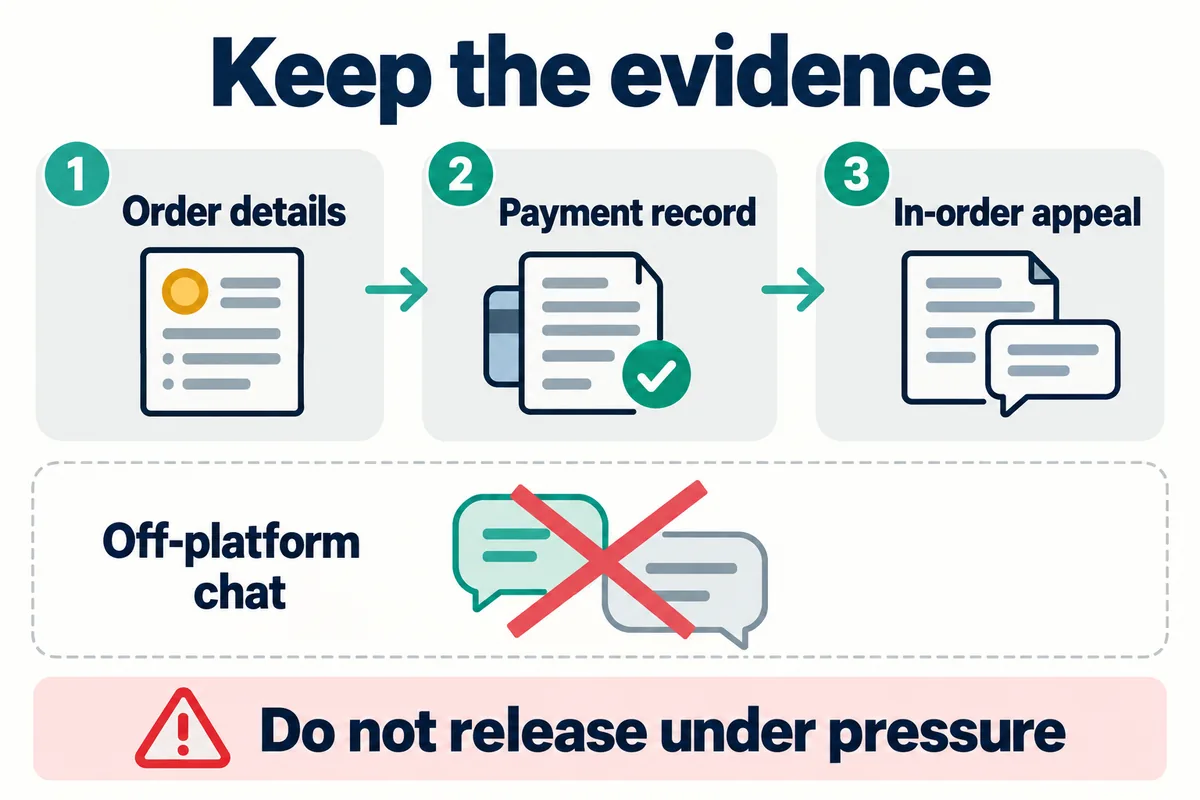
Bimence explanatory diagrams, not official account screens. Product and account conditions apply.
Where to check inside your Binance account
- Open Binance and select the P2P marketplace available for your account.
- Choose Buy or Sell, then set the crypto, fiat currency, payment method and exact amount.
- Open an eligible ad and review the unit price, total, order limits, payment window, terms and counterparty indicators.
- Before confirming, look for any Binance transaction fee or commission displayed for the order.
- Check the external payment provider’s fee and currency-conversion terms separately.
- After opening an order, use only its payment instructions, chat, status controls and appeal function.
- For completed trades, review P2P order history and the corresponding records in the account shown for that order. Do not assume every P2P user still uses the Funding Account.
P2P account-location review, October 23, 2026: Binance’s Funding-to-Spot migration FAQ describes a phased rollout from September 29, 2026. Ordinary P2P users without recent advertising activity or merchant status prioritize Spot, while advertisers continue using Funding until December 2026 before a dedicated P2P Account transition. Check your role, order details and account notice; not every account migrates at the same time. Historical Funding records can retain that label in Spot. This review concerns account and record locations, not every fee or regional condition.
If you are new to Binance, use the Binance sign-up and verification guide. Referral code BIMENCE should not be assumed to reduce a P2P advertiser’s price or payment-provider fee. Review the account’s displayed eligibility and the referral, BNB and VIP fee comparison before treating any benefit as applicable to a specific product.
Frequently asked questions
Is Binance P2P free for buyers?
Binance Academy currently says takers pay zero trading fees, and a buyer who accepts an existing ad is normally a taker. However, Binance’s merchant rules also document role-, fiat-market- and pair-dependent rates. Check the live order and rules shown for your account instead of assuming a universal rate.
Why is a P2P ad more expensive than Spot?
The advertiser chooses the P2P price and may reflect payment-method demand, liquidity, operating cost, risk and margin. A price difference is not automatically a separate Binance fee. Compare the final amount with a same-time, same-direction reference.
Does Binance hold the fiat payment in escrow?
Binance’s P2P explanation describes the seller’s crypto as locked in escrow. The fiat payment normally moves through the agreed external payment method. That is why the seller must verify actual receipt in the payment account before releasing crypto.
Should I release crypto after receiving a payment screenshot?
No. Verify the full payment in your own bank or payment account. Screenshots, messages and payment notifications can be false, incomplete or unrelated to the order.
Does referral code BIMENCE remove Binance P2P fees?
Do not assume it does. Referral benefits, product coverage and regional eligibility are controlled by what Binance displays for the account. BIMENCE does not control advertiser prices, payment-provider charges or dispute outcomes.
Official sources checked on August 24, 2026
- Binance Academy: What Is Binance P2P and How to Use It? — updated June 26, 2026; definitions, taker-fee statement, KYC, ads and escrow.
- Binance Support: Binance P2P Merchant Guidelines — updated March 4, 2026; scope, fee range, payment-name checks, on-platform trading and appeals.
- Binance P2P marketplace — live market interface and current page-level fee message; availability and terms vary by location.
Affiliate disclosure: Bimence may receive a commission for eligible actions completed through the BIMENCE link. Risk warning: P2P trading involves counterparty, payment, fraud, price, liquidity and regulatory risks. Product availability varies by region. This article is educational and is not investment, financial, legal or tax advice.