
A Binance stop-loss order is a conditional exit instruction, not a guaranteed sale at your chosen price. On Spot, check whether the ticket submits a market order or a limit order after the trigger. A stop-limit can remain unfilled after activation; an OCO links two orders but does not remove that execution risk.
Last reviewed: September 11, 2026. This guide covers Spot order mechanics, not Futures position settings or recommended trading levels. Product access, available order types and interface labels can differ by account and region.
Key points before setting a Binance stop-loss
- The stop price activates an instruction; it is not necessarily the execution price.
- A sell limit sets the lowest acceptable execution price, but cannot guarantee a buyer.
- Check the filled amount and remaining amount, not just whether the order was accepted.
- OCO cancellation can remove the other leg before the triggered limit has fully sold your holdings.
Stop price, limit price and amount: what each field means
For a sell stop-limit, the stop is the activation threshold. The limit is the price boundary for the resulting sell order. Amount refers to the quantity of the base asset, not the number of quote-currency units you hope to receive. Read the actual field labels before submission, especially when switching trading pairs.
| Instruction | After activation | Main limitation |
|---|---|---|
| Stop-limit | Submits a limit order | Can remain open or partly filled |
| Stop-market, where offered | Submits a market order | Execution price can slip; no fixed exit price |
| OCO | Links two alternative orders | Cancellation linkage is not a fill guarantee |
Binance Academy distinguishes conditional limit orders from market-style exits. Do not assume that a button labeled Stop Loss has identical behavior across Spot, Margin and Futures. Check the currently available ticket for the selected product.
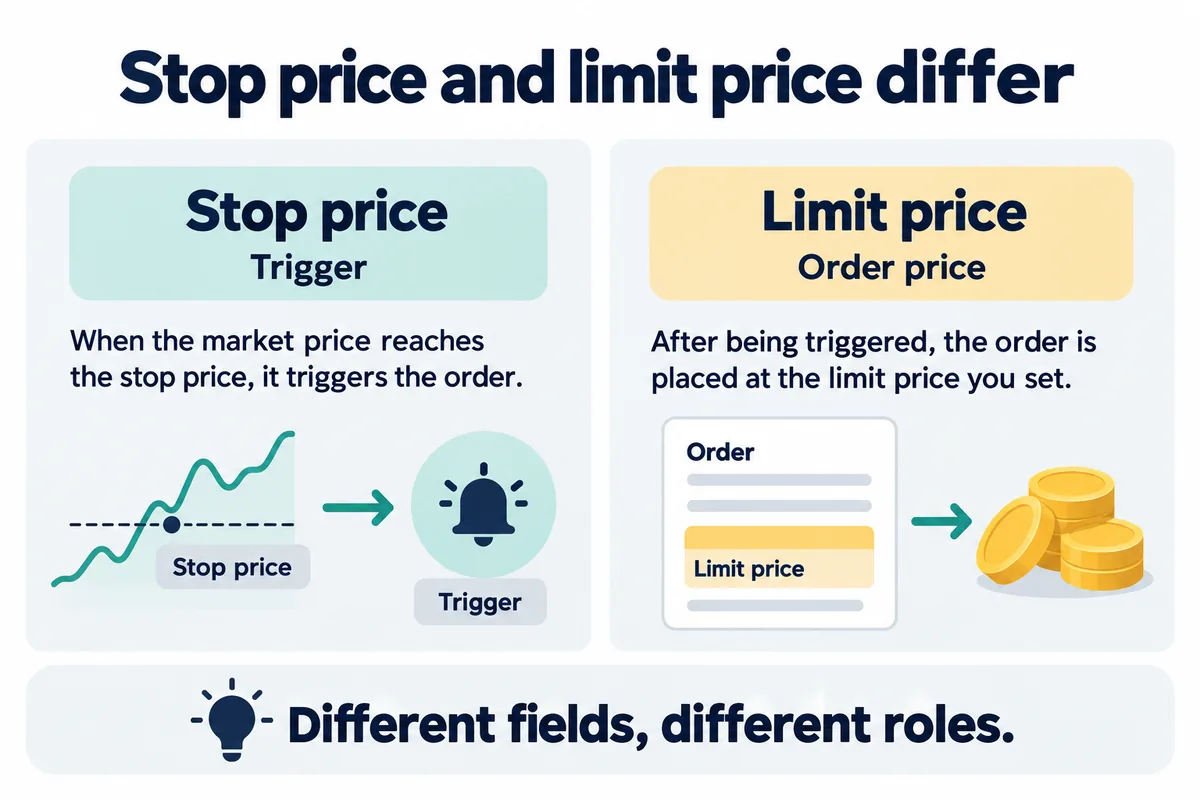
How to check a Spot stop-limit setup
- Open the official Binance app or website and select Trade → Spot. Confirm the pair and the account holding the asset.
- Choose the sell side and the available Stop Limit instruction. Do not substitute a plain limit order simply because both contain a price field.
- Review the stop, limit and quantity separately. Check decimal precision, available balance and any validation message before submitting.
- Review the confirmation carefully. This article does not supply a recommended stop percentage or price for a real asset.
- After submission, use Open Orders to confirm acceptance. Later, compare Order History and the execution details to establish whether any quantity actually traded.
These are verification steps, not a recommendation to place a trade. For broader costs, see the Binance fees guide. Use the maker versus taker explanation for execution roles rather than assuming that the word limit guarantees maker treatment.
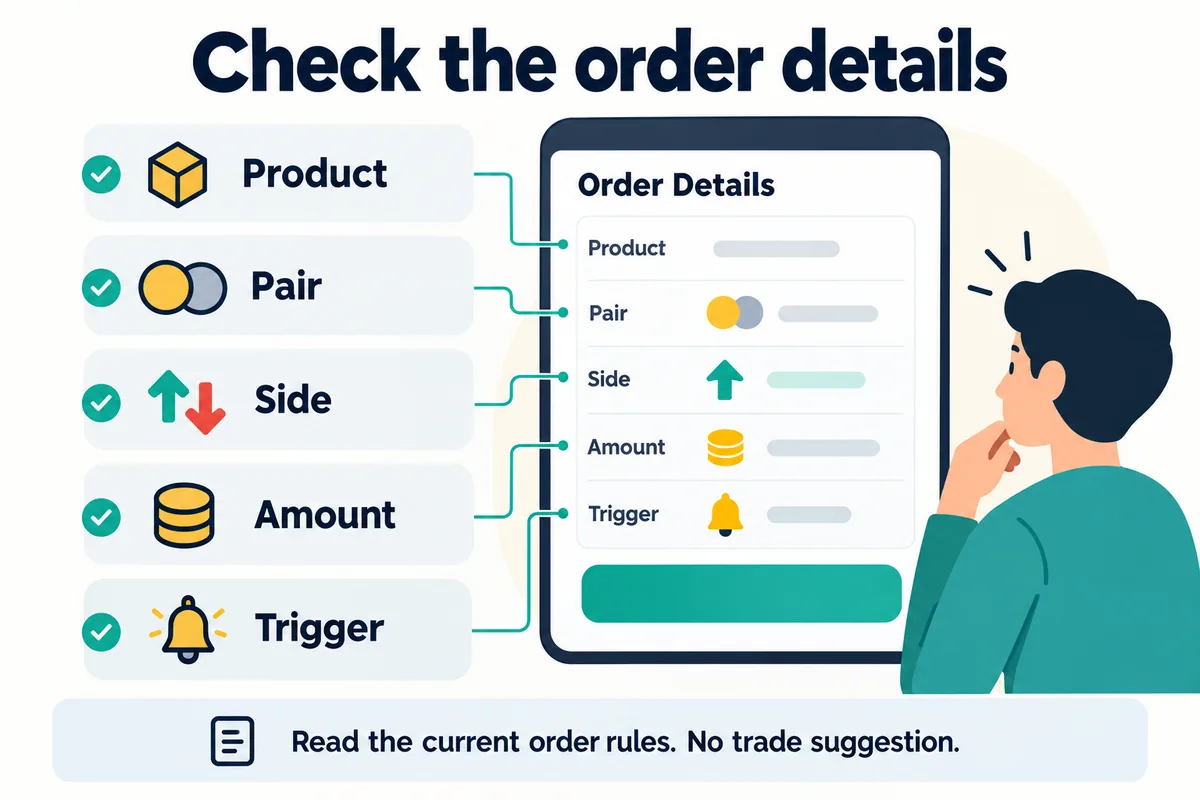
A worked example: triggered does not mean filled
Bimence illustration, not a live quote or trading recommendation: imagine a fictional asset at 100 USDT.
A holder enters a sell stop of 95 USDT, a limit of 94 USDT and an amount of 2 units.
Reaching 95 activates the limit instruction. If the available bids are already below 94, that instruction cannot sell below its limit and may remain unfilled.
If both units instead fill at 94, gross proceeds are 2 × 94 = 188 USDT, before fees. Compared with a hypothetical entry value of 200 USDT, the gross difference is 200 − 188 = 12 USDT. This is an arithmetic example, not a maximum-loss guarantee: the order might fill partly or not at all.
Keep a separate record of quantity, actual fills and commissions. The actual trading fee checklist explains how to verify the charge instead of copying a headline rate.
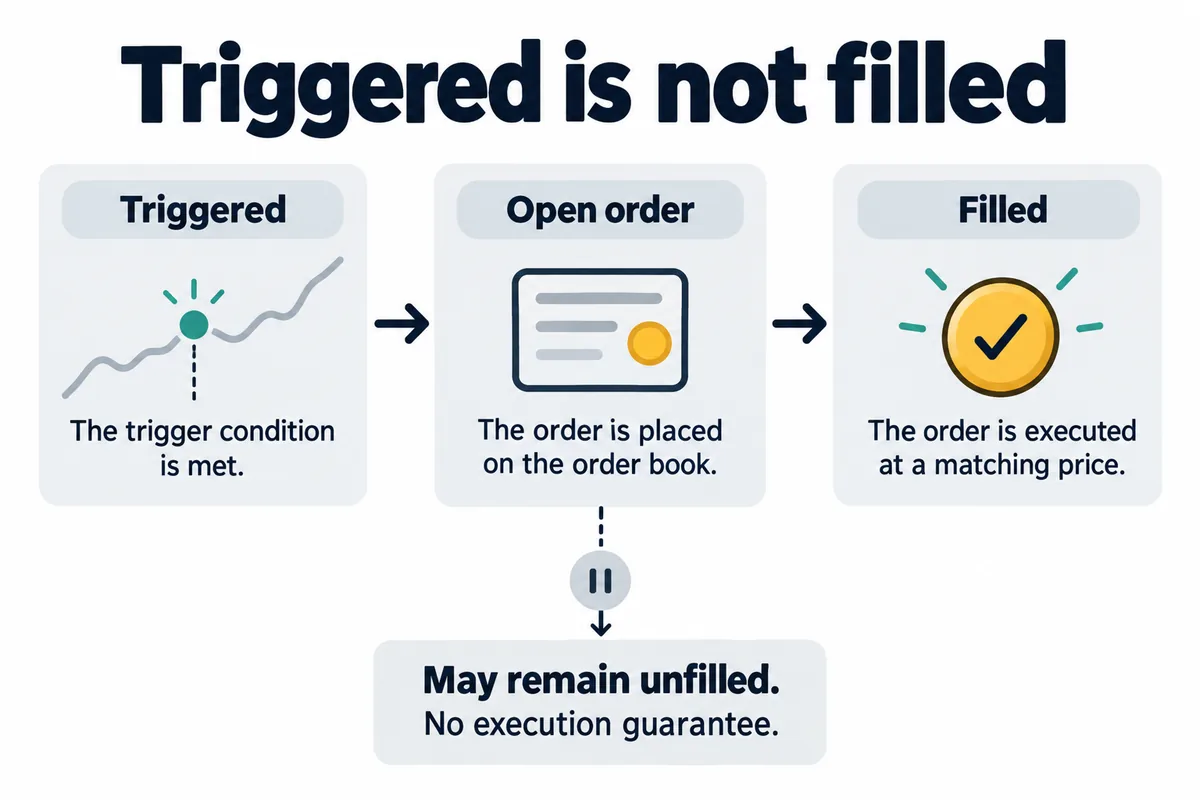
Using OCO for linked Spot exit instructions
Binance’s Spot OCO FAQ describes a limit leg paired with a stop-limit leg. Open Trade → Spot and select OCO if available. For a sell setup, distinguish the upper limit field from the stop trigger and the limit field belonging to the stop-loss leg. Its documented price ordering places the upper limit above the current market and the stop trigger below it.
The linked order is canceled when the relevant OCO condition occurs; manually canceling one leg also cancels the other. Do not treat cancellation as proof that the remaining leg filled. Inspect both the linked order status and the remaining asset amount.
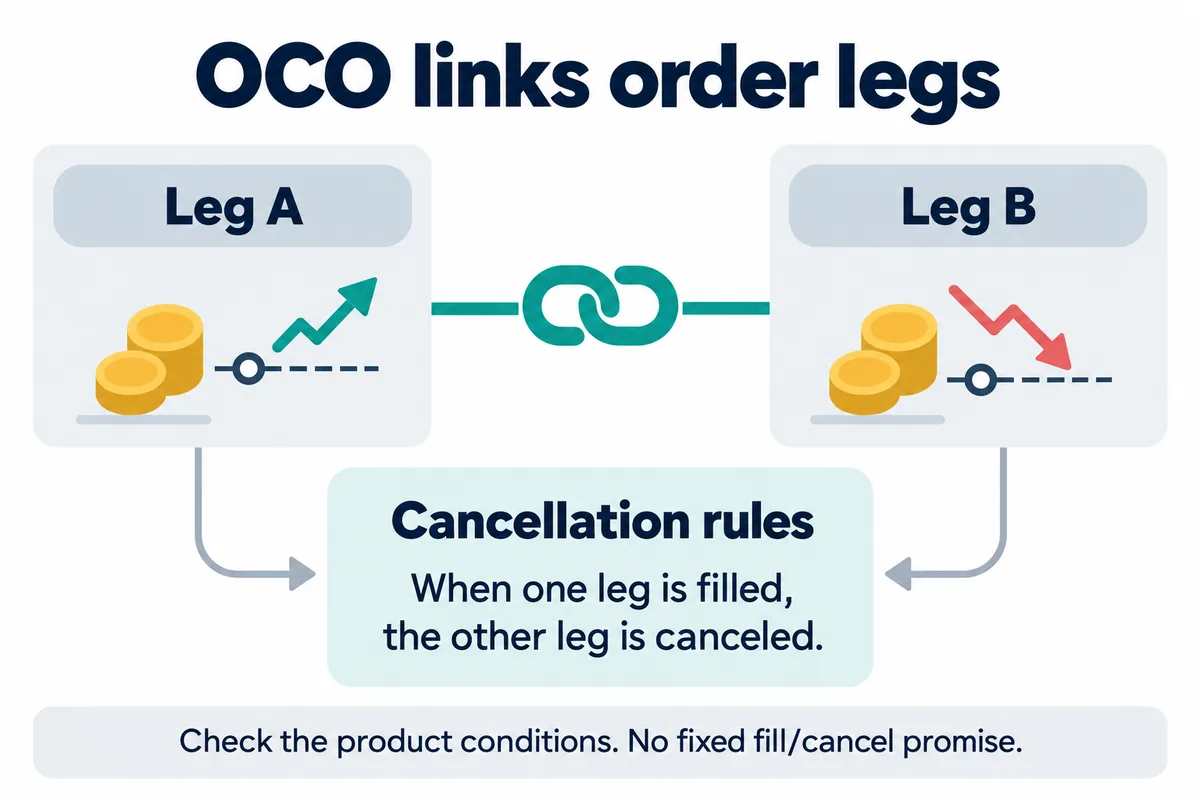
Binance stop-loss not working: a practical check order
The following is Bimence’s troubleshooting checklist, not an exhaustive Binance error-code catalog. Record the exact message and time before deciding whether the problem is submission, activation or execution.
| What you observe | What to verify |
|---|---|
| No accepted order | Correct account, pair, available quantity and the displayed rejection reason |
| Order accepted, not activated | Trigger field, direction and the selected product; do not infer a Futures trigger rule from this Spot guide |
| Activated, but still open | Limit price, available matching liquidity and remaining quantity |
| Partial execution | Each fill and the unsold remainder; a partial fill is not a complete exit |
| Other OCO leg disappeared | Linked cancellation and order history; do not recreate an order without checking existing exposure |
If contacting support, provide the relevant order ID, pair, timestamp and a screenshot with unrelated personal information hidden. Never share a password, authentication code or API secret. Review Binance account security before responding to anyone claiming to offer account recovery.
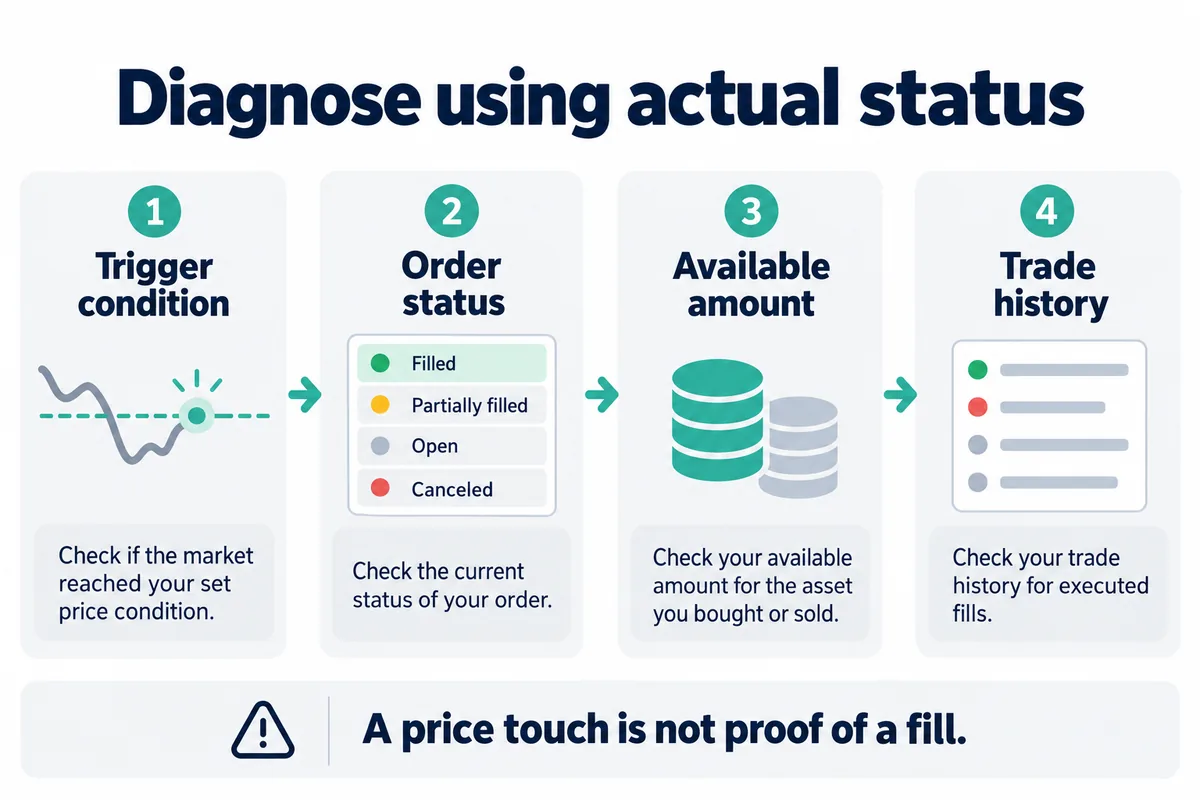
Bimence explanatory diagrams, not official account screens. Product and account conditions apply.
Frequently asked questions
Does a Binance stop-loss guarantee the loss amount?
No. A stop-limit has non-fill risk; a market-style instruction has price uncertainty. Fees, partial fills and platform or market conditions also matter.
Are Spot stop-loss settings the same as Futures?
No. This guide does not cover Futures trigger-price selection, position modes, liquidation or reduce-only controls. Confirm the product before following any tutorial.
Should the stop and limit be identical?
They are distinct fields. An identical value does not eliminate execution risk, and no universal gap suits every asset or situation. Check the official explanation and your ticket; this guide does not recommend a trading level.
Where can I confirm that the asset was sold?
Check the execution records, filled quantity and remaining balance together. An accepted order or an OCO cancellation is insufficient evidence by itself.
Official sources and editorial method
Official documents checked September 11, 2026. The definitions and interface references below come from Binance; the fictional calculation and troubleshooting organization are Bimence’s explanations. This is document-based education, not a claim of personally testing a live order.
- Binance Academy: stop-limit mechanics and execution risk — English.
- Binance Support: Spot OCO fields and linked cancellation — English.
- Binance Academy: order-type distinctions — English.
- Binance Support: stop-limit function — en-GB destination returned during review.
Disclosure and eligibility
Bimence is an independent educational site. Crypto trading can cause losses, and conditional orders do not remove that risk. Read our Risk Disclosure.
If you independently decide to register and are eligible in your region, the Binance registration link is an affiliate link. Referral code: BIMENCE.
Bimence may receive a commission. The code does not guarantee a discount, reward, verification approval or access to any product.
See our Affiliate Disclosure. Do not use location masking to bypass restrictions.